Visitantes da Catraca
HR registers an outside visitor, WhatsApp opens by itself with the QR ready and the company turnstile lets them in and out with it.
The names, companies and documents shown on the screens and in the video are made up, recorded on a test turnstile. The real system runs behind a login, and only each visitor’s QR page is open.
- One QR per visit, valid from a few hours to a month, working on the way in and on the way out
- Creates and removes access on the turnstile through its API, and a cancellation blocks the QR at once
- 29 tests, with a fake turnstile that runs the whole system without the hardware
- Data deleted automatically after 90 days, for data protection law
How it worked before.
Employees already went through the turnstile with their face. Outside visitors stayed outside the system: someone opened the door, nobody could say how many visitors were in the building, and there was no record of when they came in and left.
The first idea was a card reader at reception, with the card handed back to HR on the way out. Cards get lost, need stock and someone to hand them out and collect them. A QR on the visitor’s own phone solves it with nothing to return.
What changed.
HR fills in name, ID, WhatsApp and who is hosting, picks the validity and presses one button. The system creates a temporary user straight on the turnstile, with start and end dates, and generates the QR. On the same click WhatsApp opens with the message ready and the QR image copied, so it is just paste and send. The visitor also gets a link with the large QR and the validity time.
Testing on the real equipment I found two things the documentation does not say. The turnstile reads a numbers-only QR as if it were a card, so access is registered as a card and not as a QR. And it stores local time as if it were UTC, which would have shifted every validity by three hours had I followed the obvious path.
The board shows who is inside now, who still has access and who has left, reading the passes from the turnstile itself. Cancelling blocks the QR at once, extending changes the validity, and a printed label covers whoever arrives without a phone.
So nobody needs an explanation, the system opens with a masked tutorial that lights up one part at a time. It lives at the same address as the turnstile panel, behind the same login, with a page up front to choose between the two areas. Only the visitor’s QR page is open, and it shows neither ID nor access number.
A look inside.
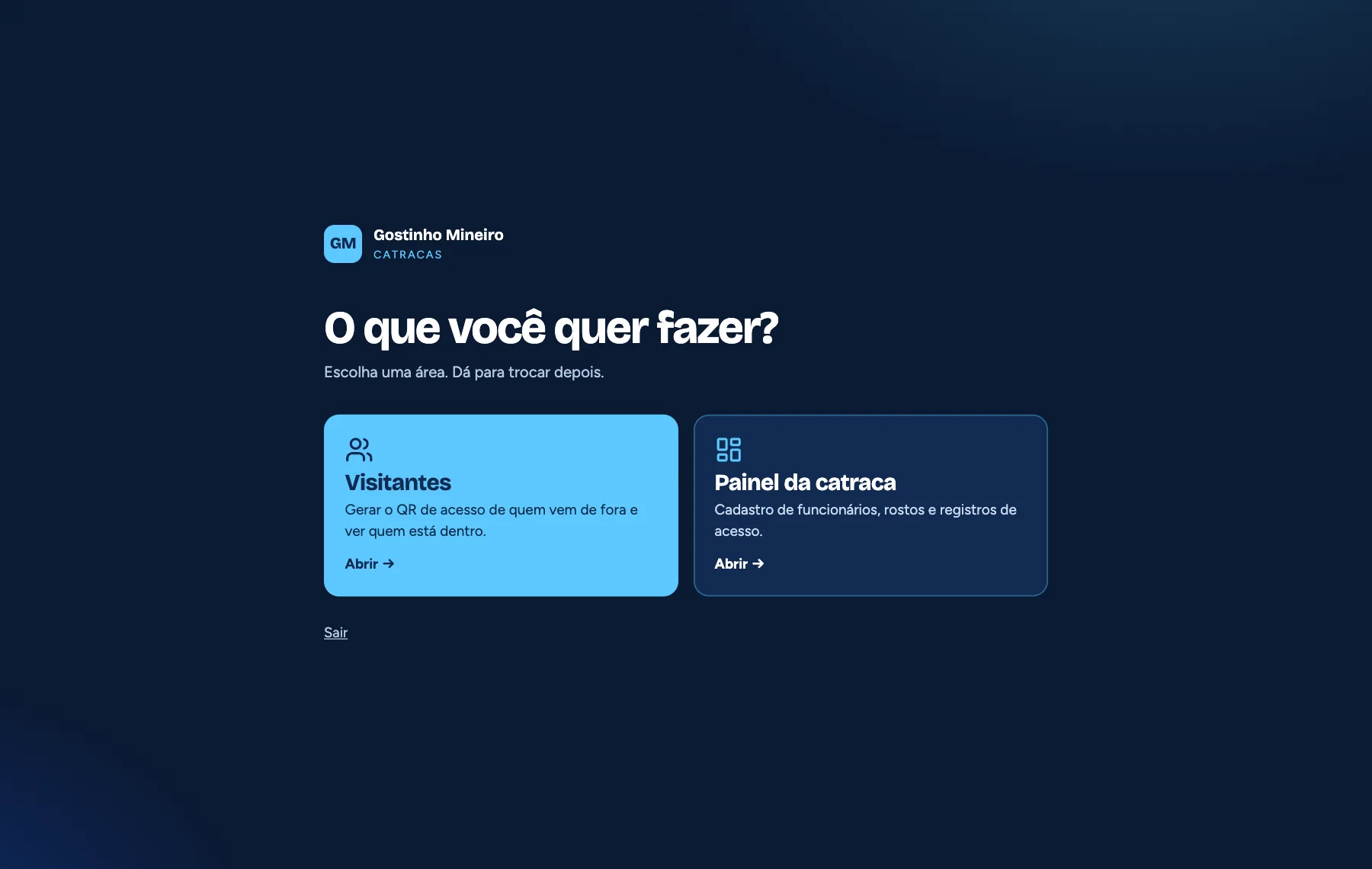
After login, a page picks the area. HR and the administrator come in at the same address with the same password as before. 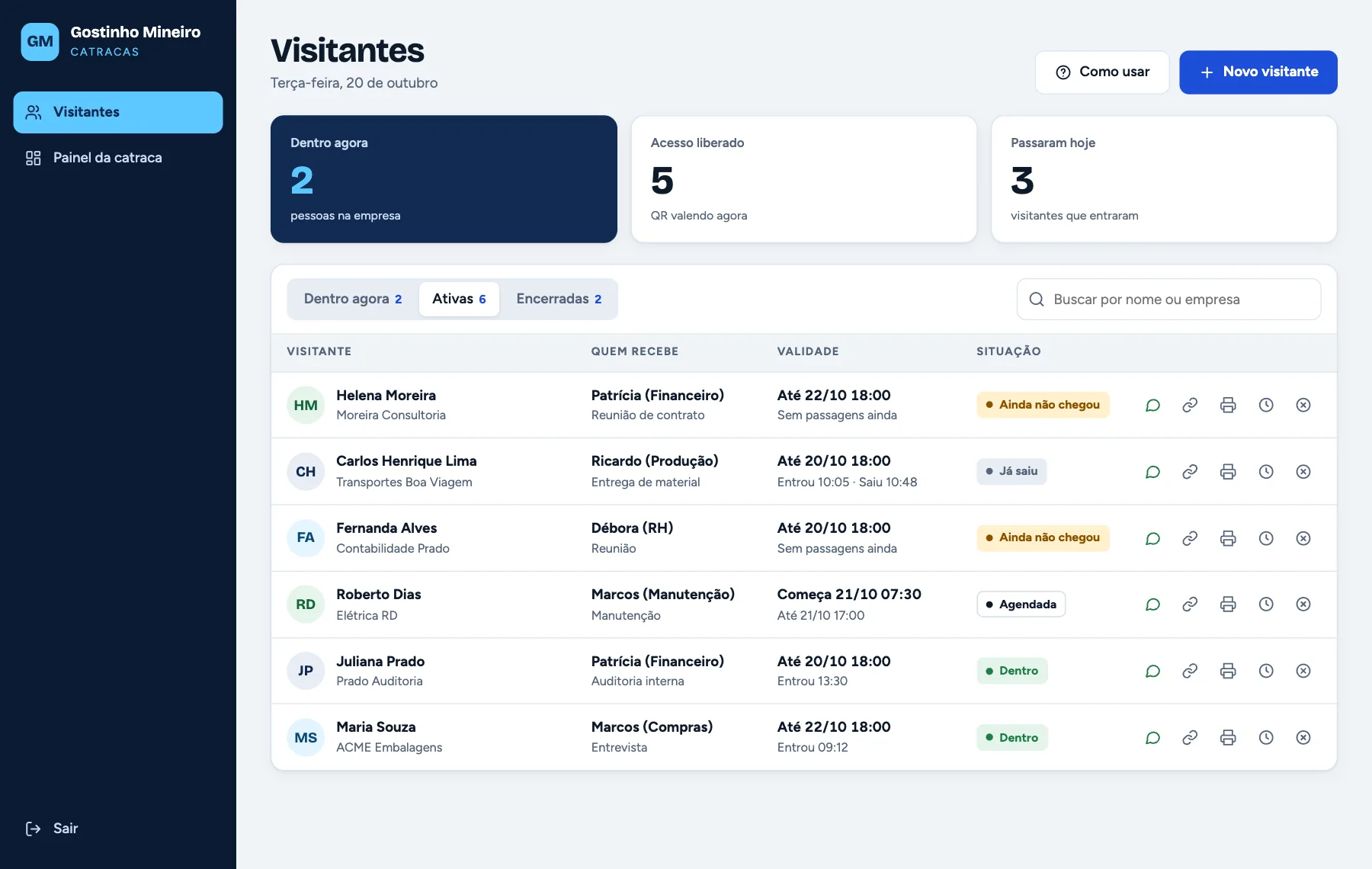
Each visit has its own status: not yet arrived, inside, left, scheduled, expired or cancelled, with the real entry and exit times. 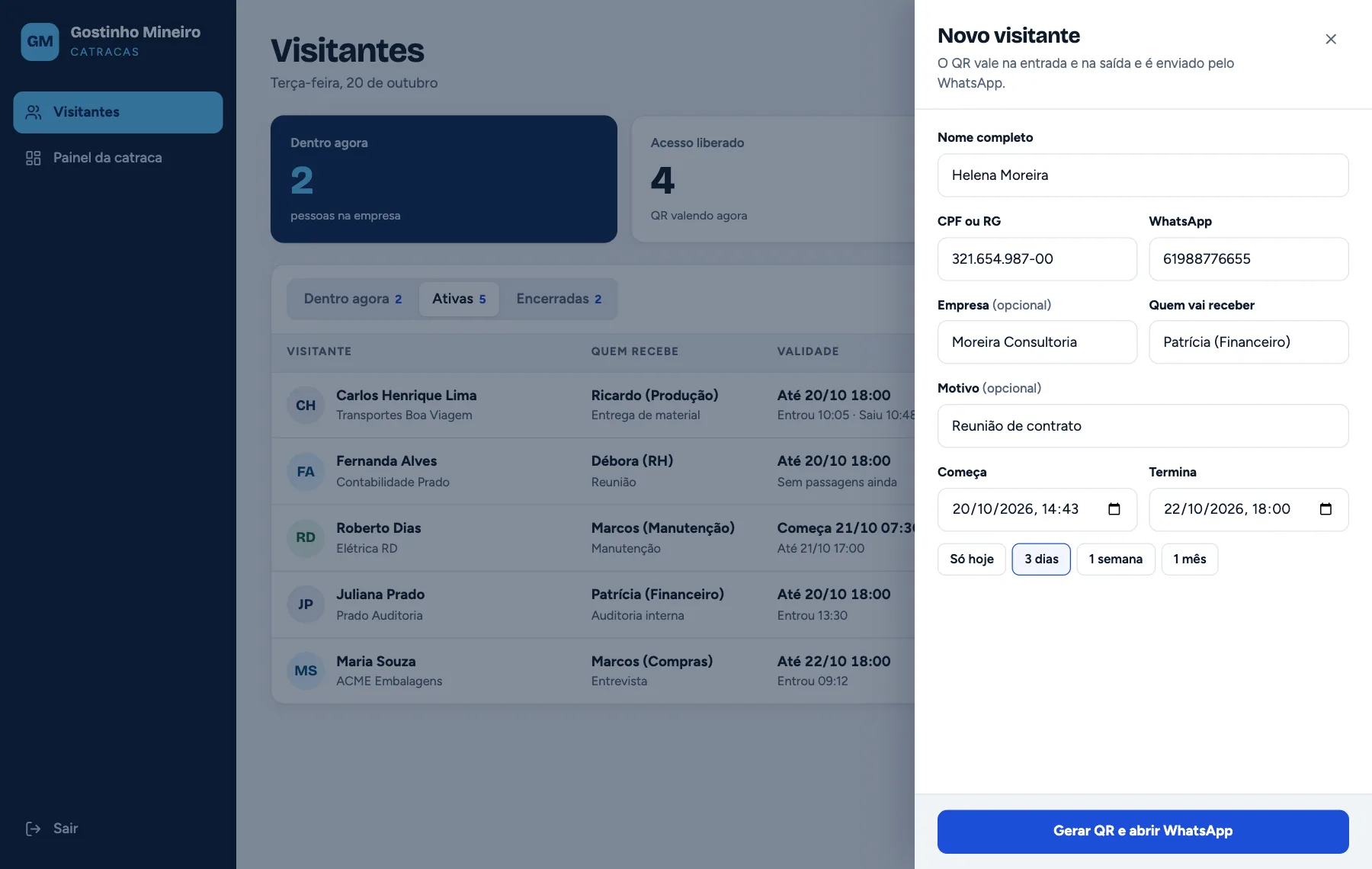
The form fits in a drawer with validity shortcuts: today only, three days, a week or a month. WhatsApp is required, because that is how the QR arrives. 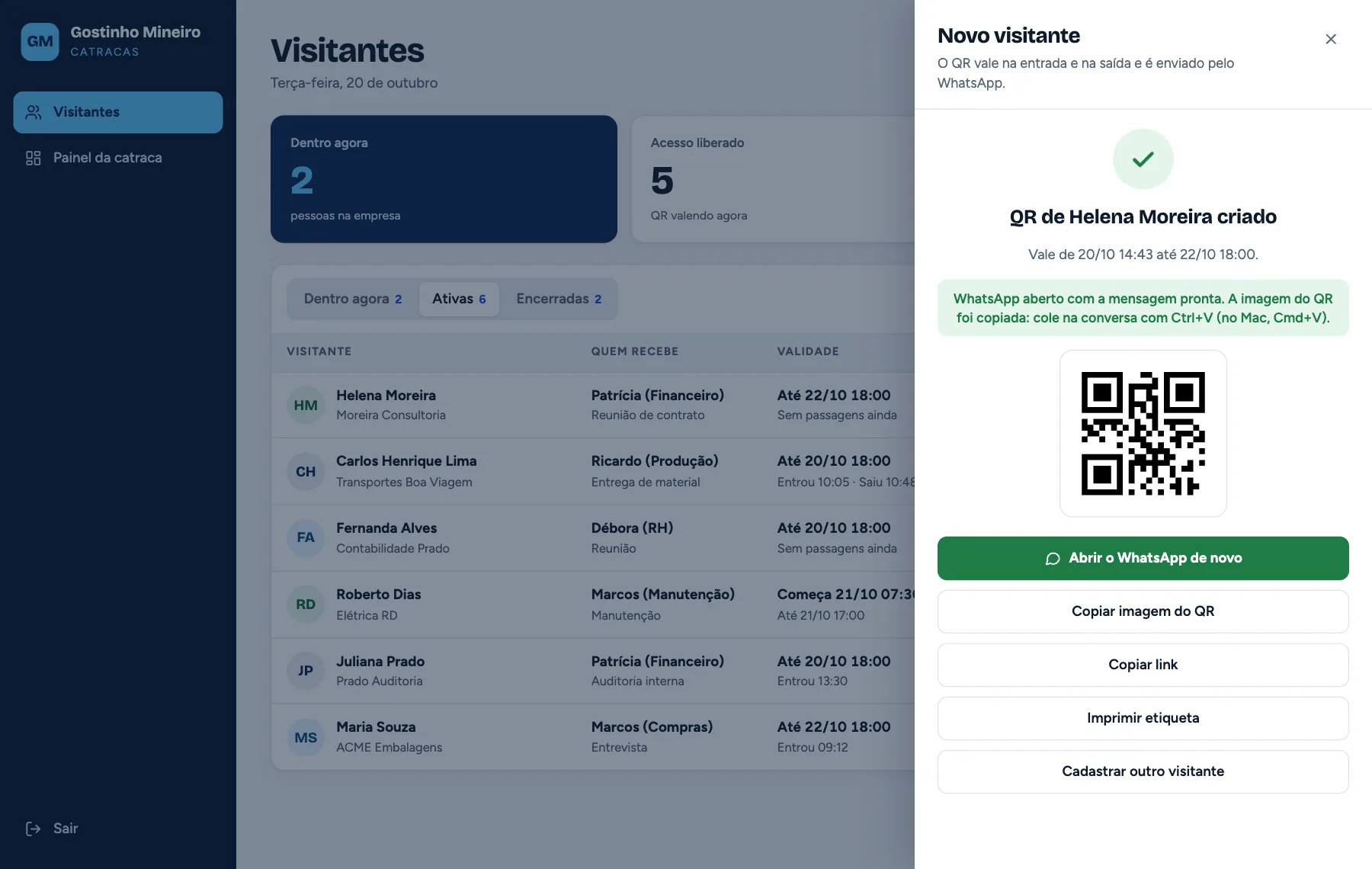
On generating, WhatsApp opens by itself and the QR image is already copied. If the window gets blocked, the same steps stay as buttons. 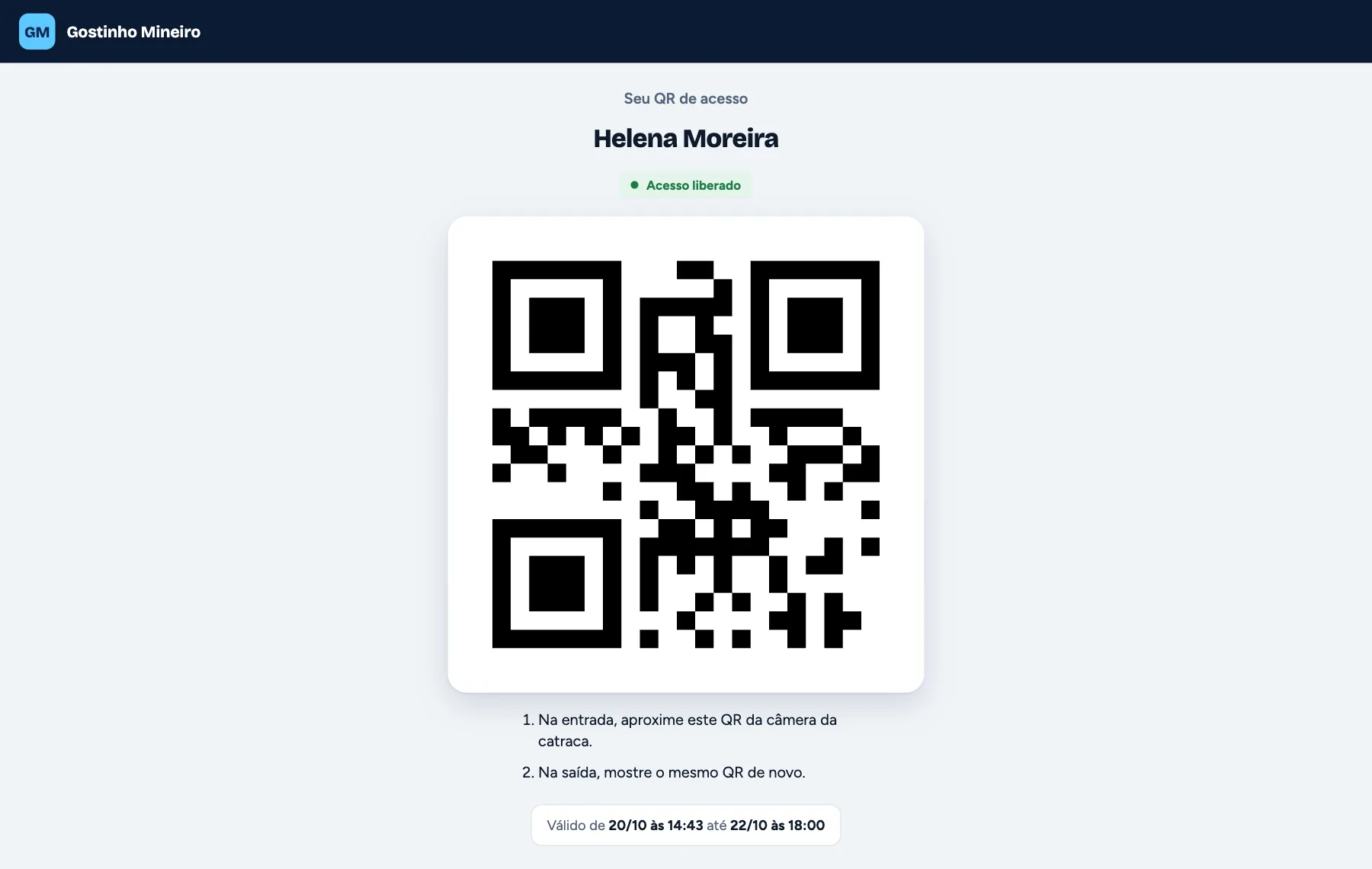
What the visitor receives: full name, a large QR for the turnstile camera, two steps and the validity. No ID is shown. 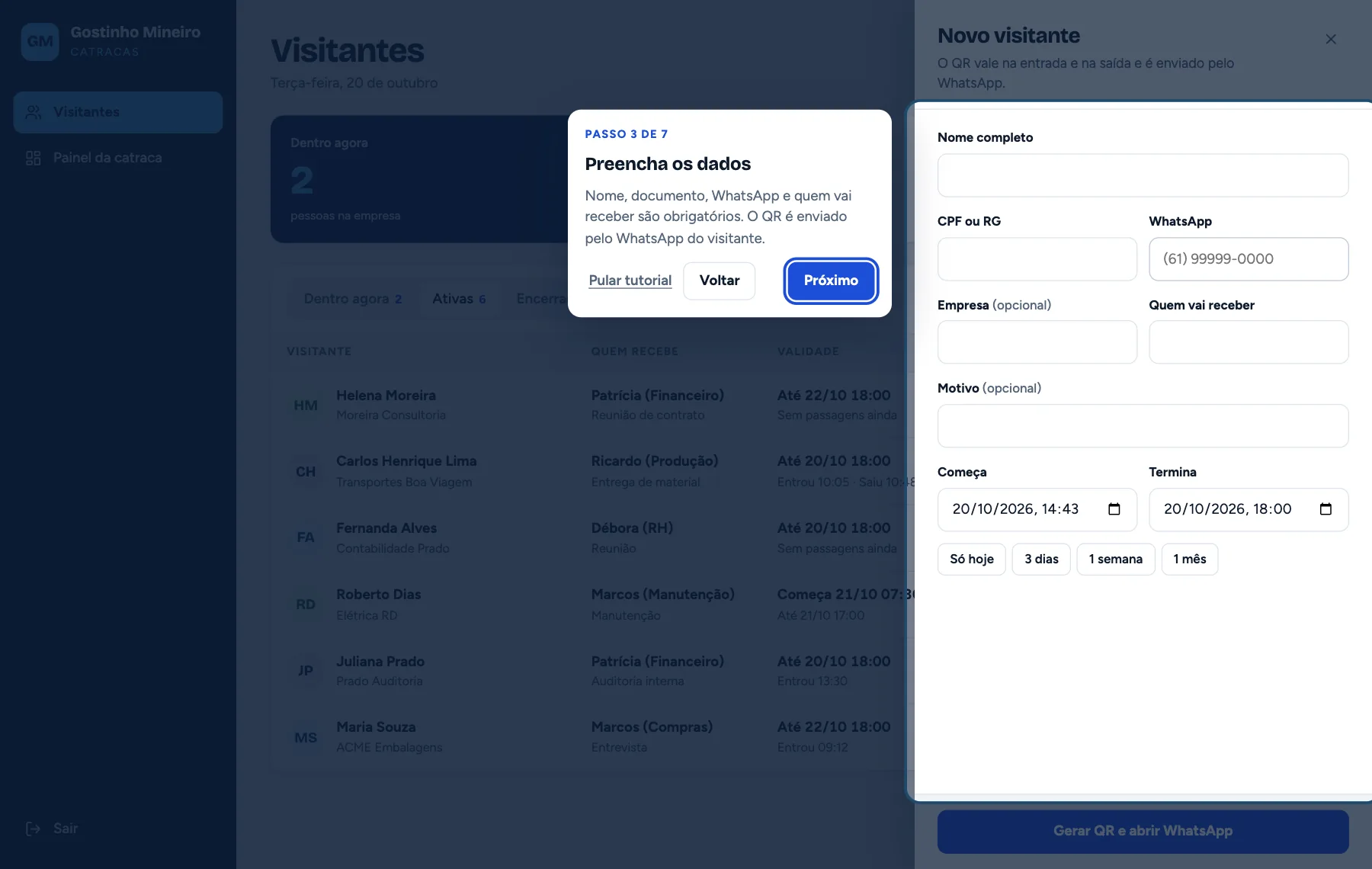
The tutorial dims the screen and lights up one part at a time, in seven steps. It opens by itself on the first visit and returns through the How to use button. 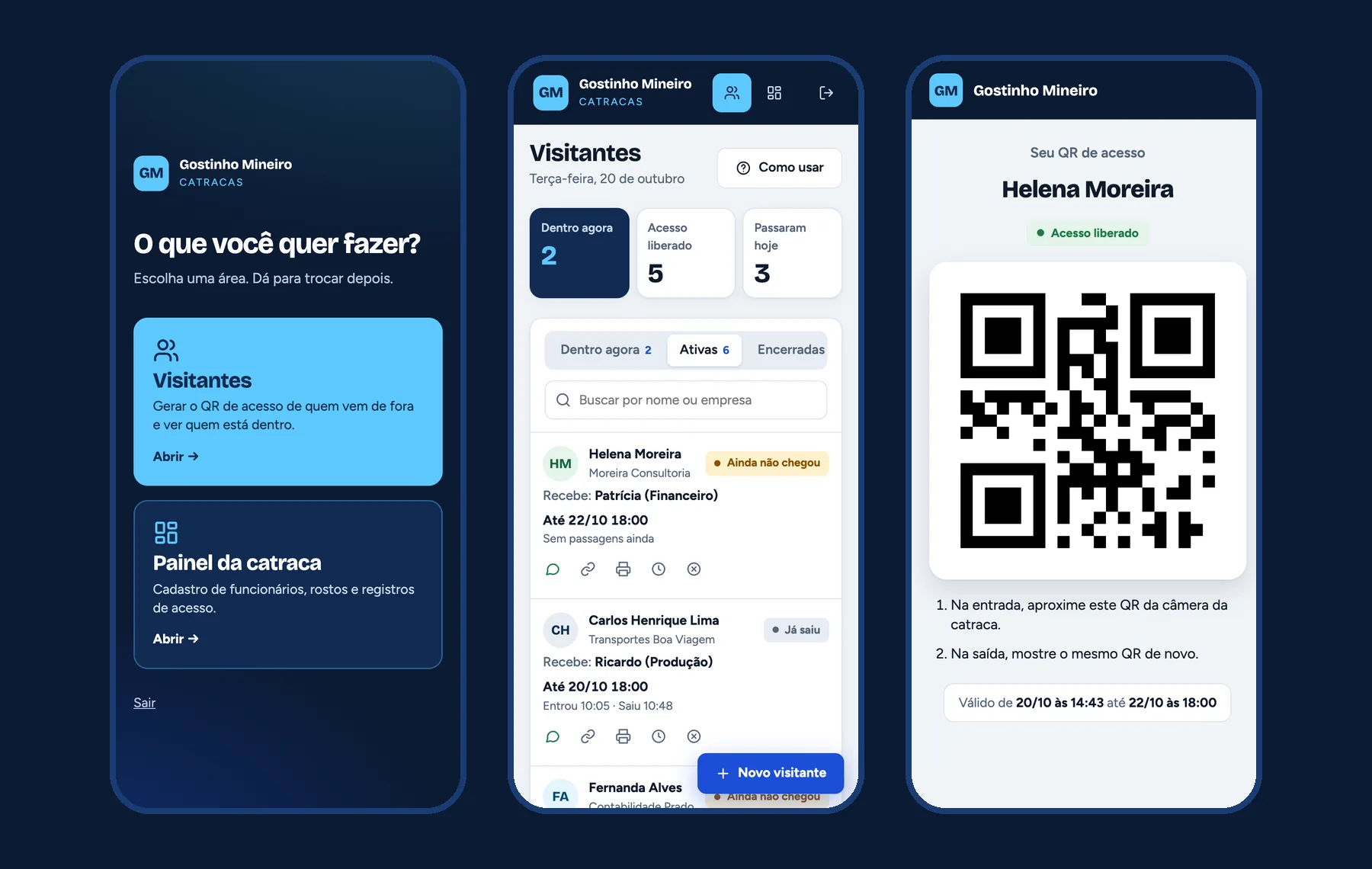
On the phone the table becomes a list of cards and the new visitor button stays fixed. HR can register from wherever they are.