Prospecta
Finds businesses on Google Maps that need a website, gives each a 0 to 100 score that explains itself and leaves the WhatsApp message ready for someone who sells websites.
The names, phone numbers, owners and addresses in the screens and the video are made up, in a demo database. The real database, with real businesses, stays on my computer only and does not appear here. The map is real and the businesses marked on it are not.
- The area is picked on the map, with an adjustable radius, and collecting one niche takes 1 to 3 minutes
- Each site is analysed automatically and the lead lands as no site, social media only, offline, poor or fine
- A 0 to 100 score with the list of reasons beside it, and the owner found through the company ID when the site shows it
- 460 automated tests and nothing is sent automatically: the tool prepares, I press send
How it worked before.
I sell websites as a freelancer, and the first step is always finding who needs one. The business lists out there come with no criteria: name, phone number and nothing about what matters, which is whether the business has a site, whether it is worth the conversation and who to talk to.
Doing it by hand meant opening Maps, going business by business, opening each site and noting it down in a spreadsheet. It gave a dozen or two contacts per afternoon, and half of them were not even good ones.
What changed.
Prospecta starts from the map. I search the city, mark the centre with a click, adjust the radius and name the niche. A collector compiled for the Mac chip brings the businesses from Google Maps for that area, and those outside the radius are cut. Each site is then opened and analysed: it says whether the business has no site, only an Instagram, an offline site or a poor one, with the signals that justify it, such as a page with no mobile version or a very slow one.
The score goes from 0 to 100 and never shows up alone. Beside it is the sum: no site is worth 45 points, many Google reviews add up, a likely WhatsApp mobile number adds up, knowing the owner’s name adds up. The list is sorted by it, so the best contact is always first. The owner comes from the tax authority through the company ID when the site shows the number, or I fill it in on the sheet.
The approach is manual on purpose. The sheet has the message written from a template, with the company name, the neighbourhood, a compliment taken from the reviews and my portfolio at the end, and I adjust it before opening WhatsApp. There are templates for businesses with no site, for those with only Instagram, for the three-day follow-up and for those who replied. The funnel marks where each lead stands, and the Follow up button schedules the return for tomorrow, three days, a week or three months.
The results screen shows the reply rate, the funnel, how much is in negotiation and which first message gets the most replies, so I stop guessing what works. The system opens with a masked tutorial, has light and dark themes, exports to CSV and runs on a local address on the Mac, with a Dock icon.
A look inside.
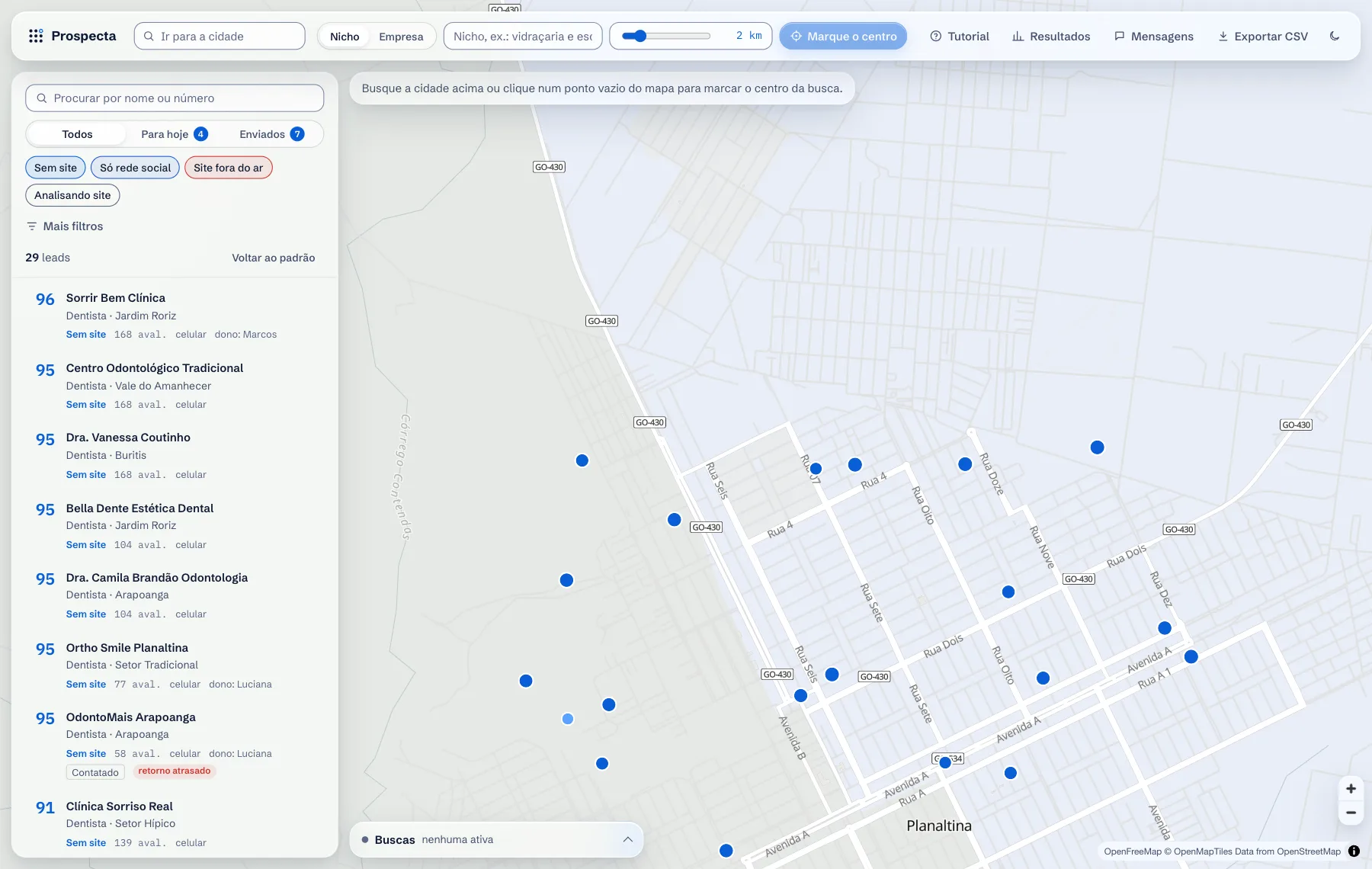
The list is sorted by score and each row shows the site status, the reviews and whether there is a mobile number. Clicking a lead takes the map to it. 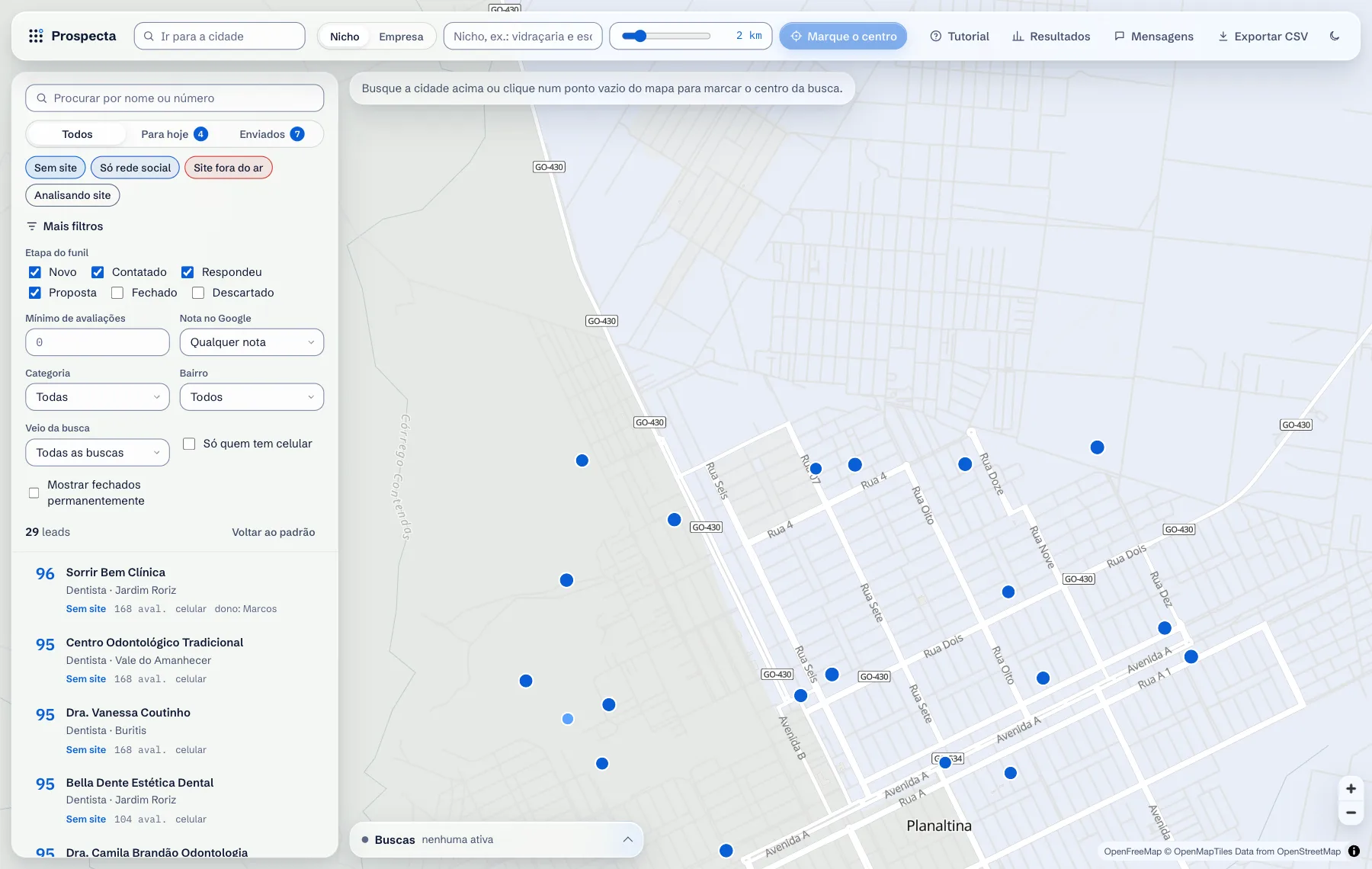
Filters narrow the list by funnel stage, number of reviews, rating, category, neighbourhood and only those with a mobile number. The map follows what the list shows. 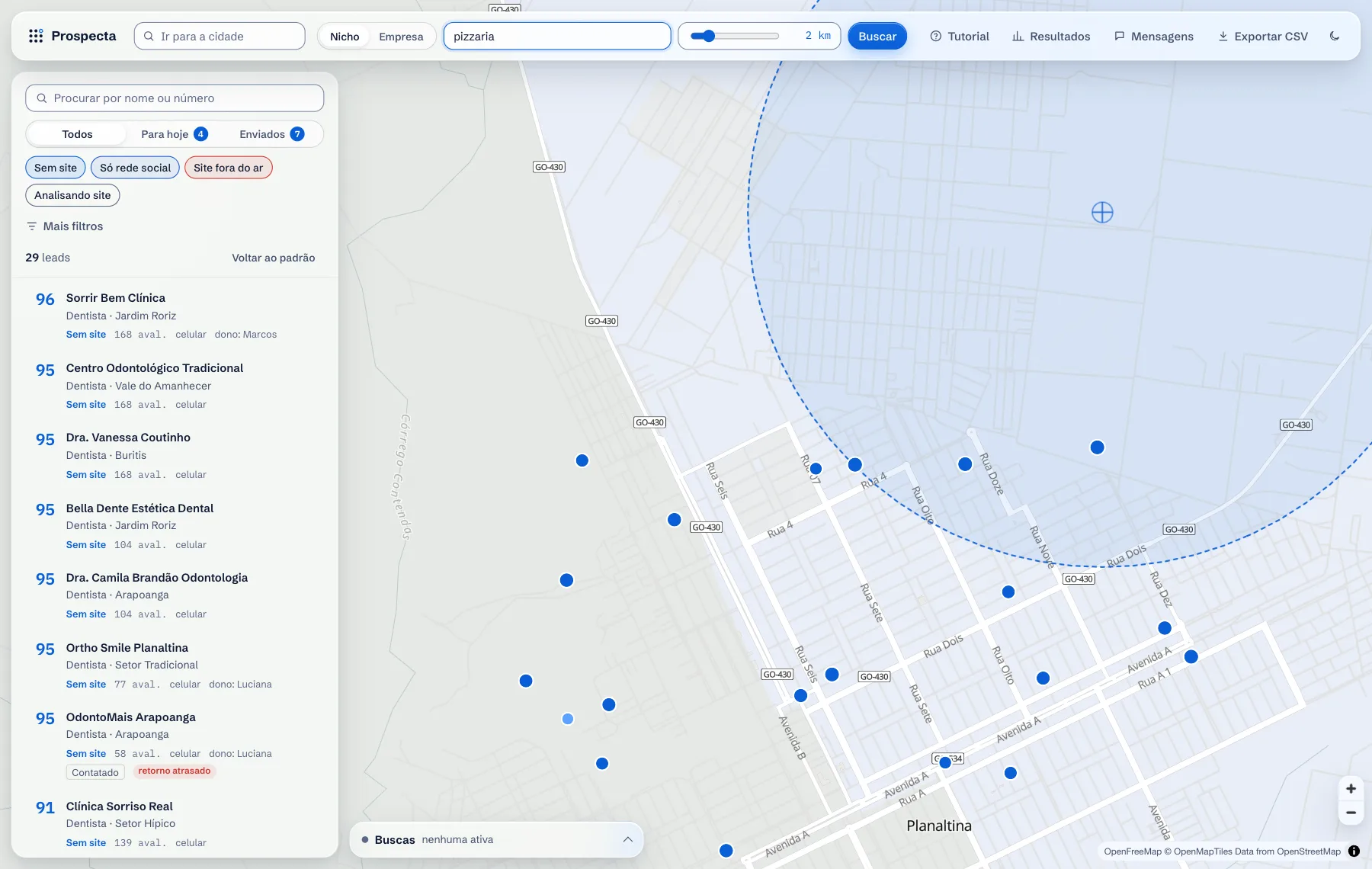
A new search: one click on the map marks the centre, the control adjusts the radius and the niche is typed. Collection runs in the background, one at a time. 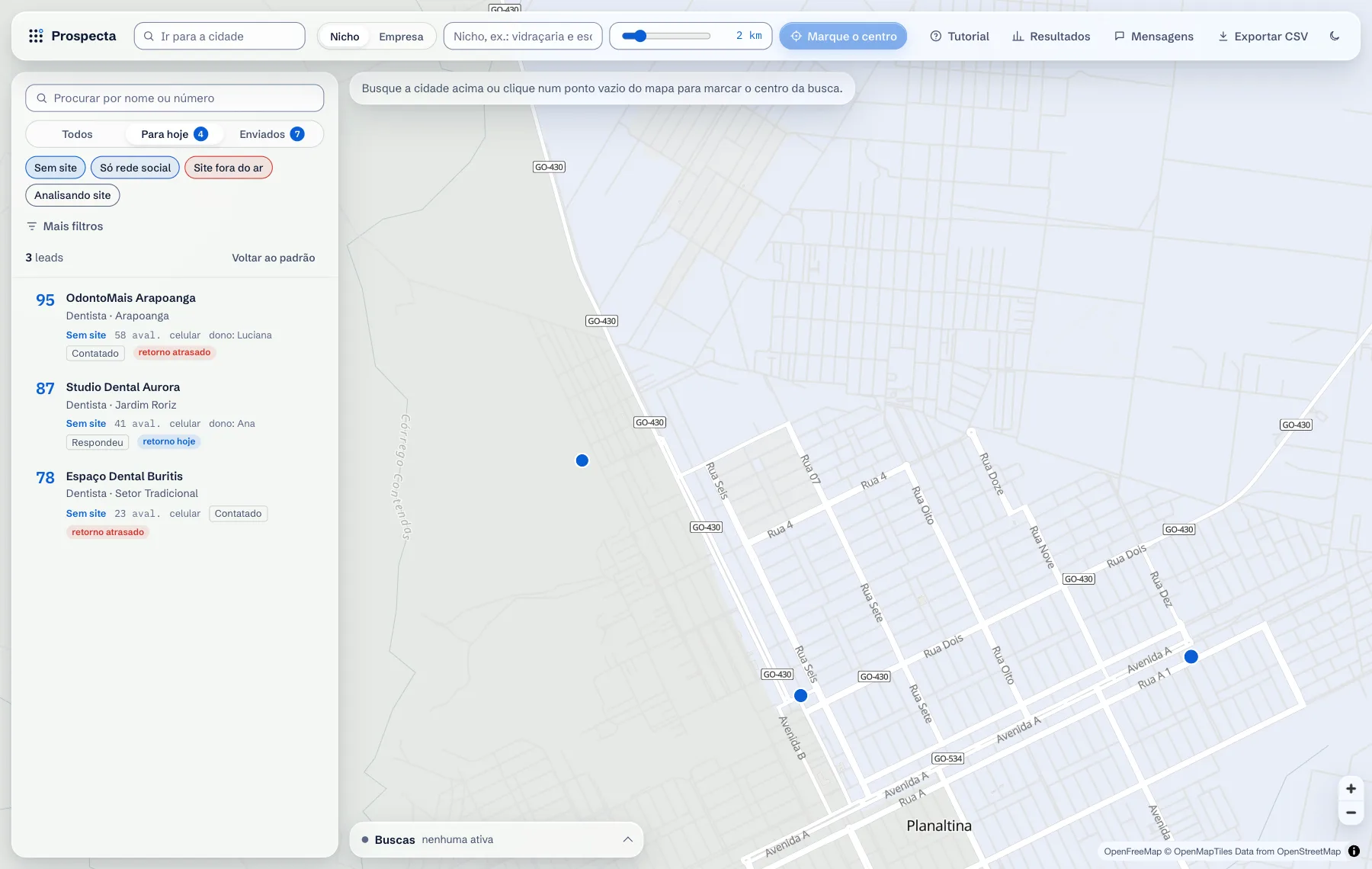
Today gathers whoever has a follow-up due or overdue. On each row, two buttons move the lead forward in the funnel or discard it. 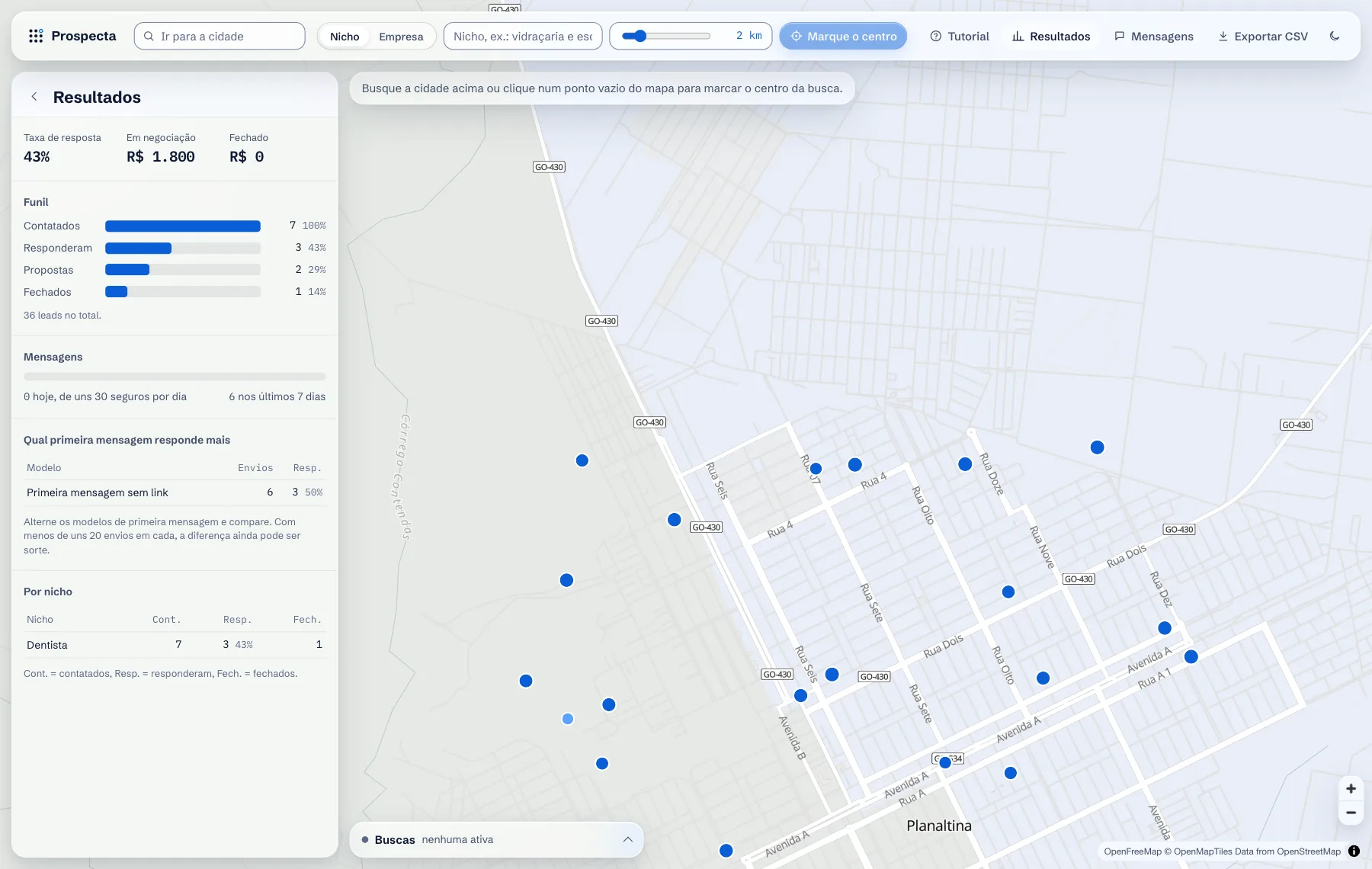
Results shows the reply rate, the funnel and, per message template, how many were sent and how many replied, with a warning while the sample is still small. 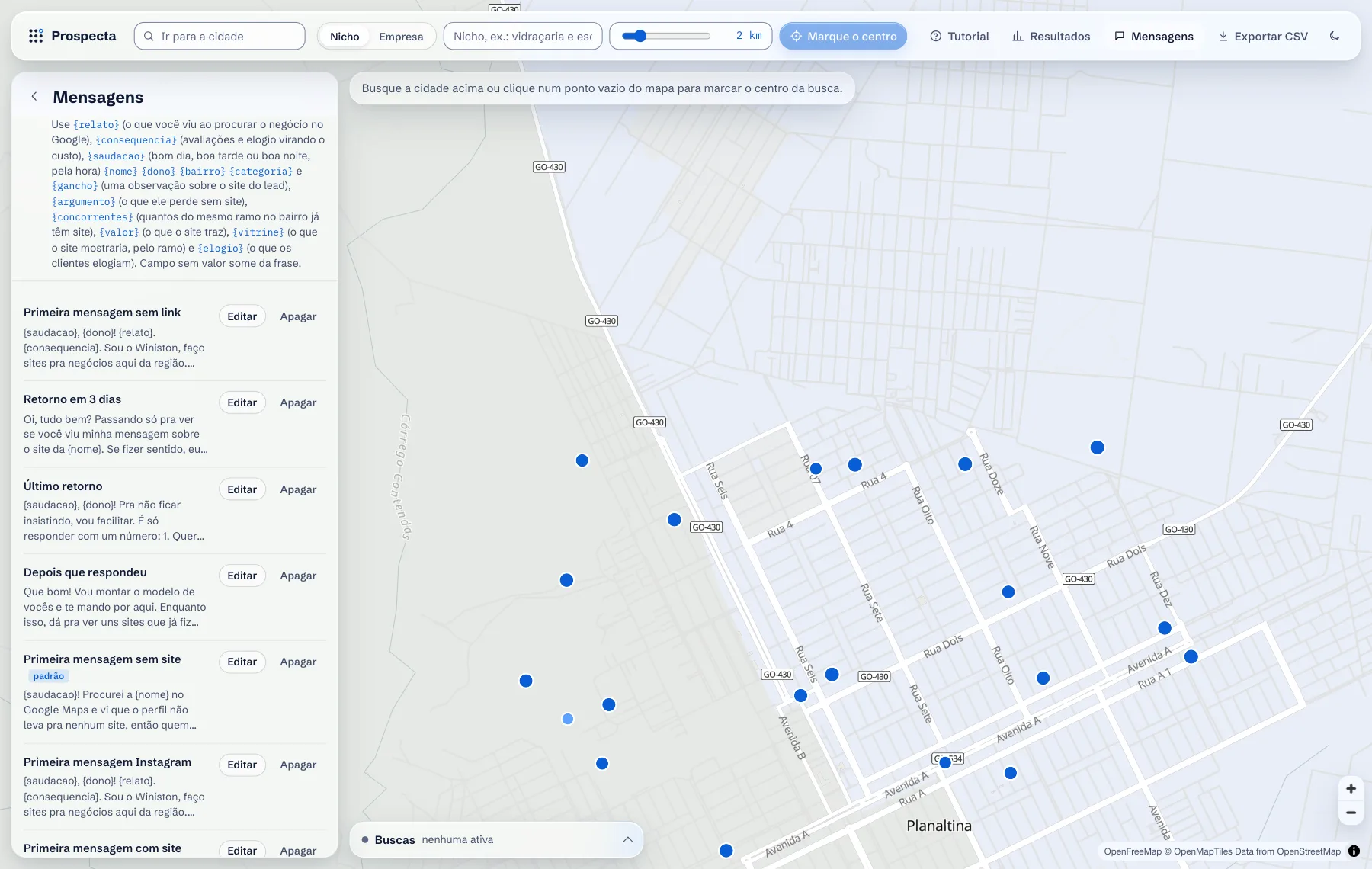
Templates accept variables such as name, neighbourhood, owner, category and a compliment taken from the reviews. You can edit, delete and choose the default. 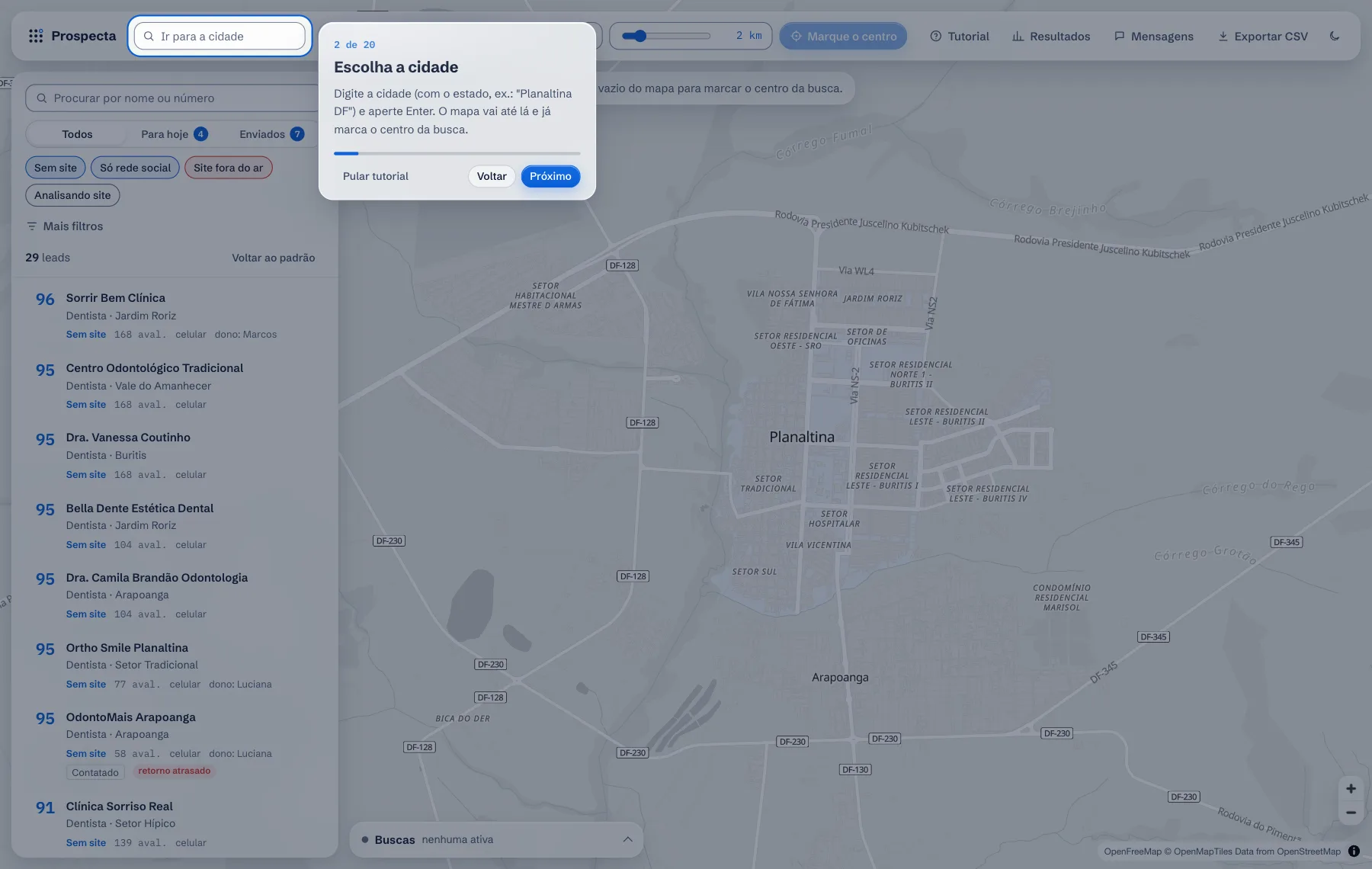
The tutorial dims the screen and lights up one part at a time, in twenty steps. It opens by itself on the first visit and returns through the Tutorial button. 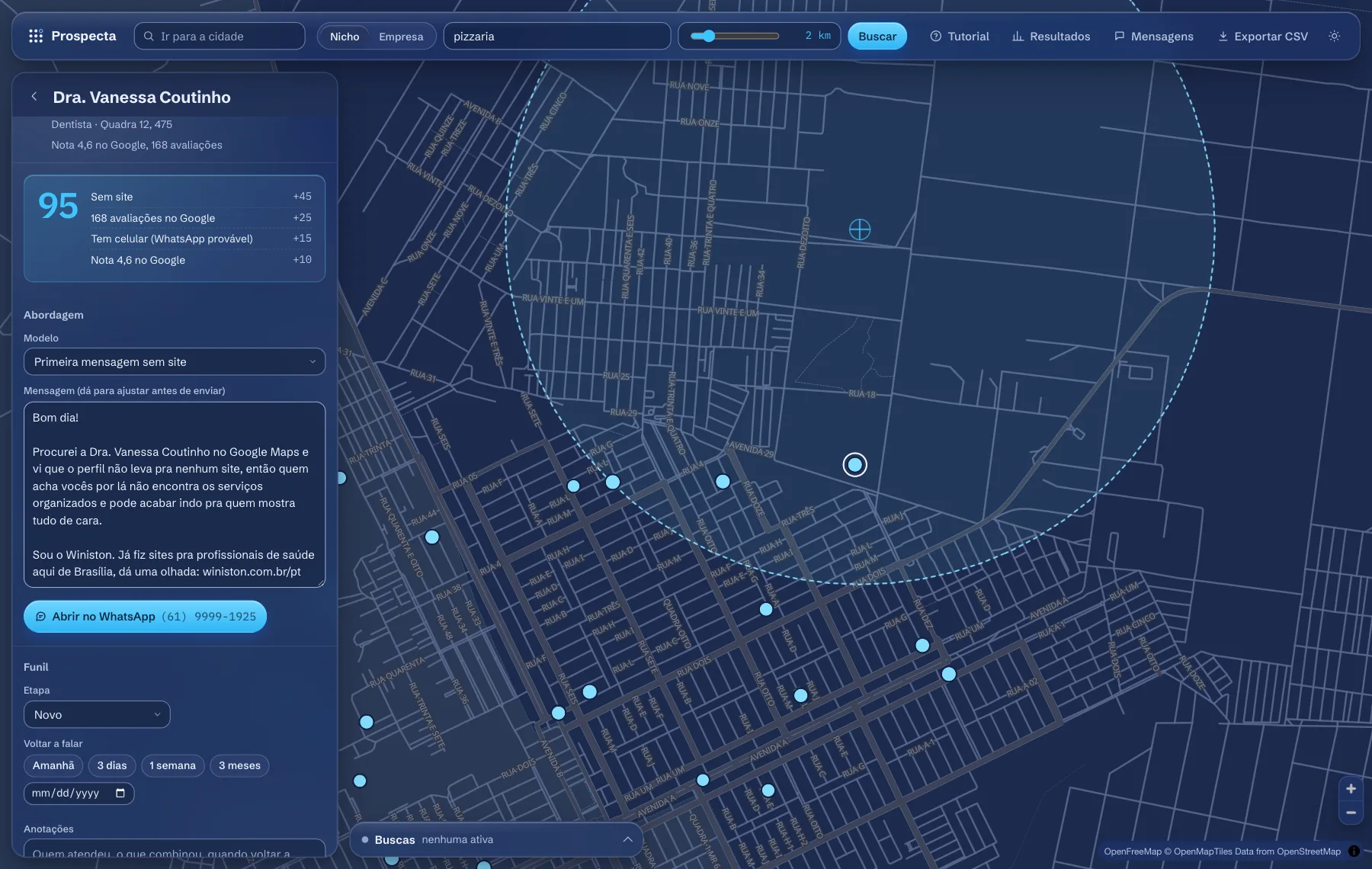
The dark theme also swaps the map style. Light is the default and the choice is saved.