Cadastro Rápido
Billing pastes the message or attaches the file the vendor sent on WhatsApp and the system splits the fields, checks them against the tax registry and the postcode, infers what is missing and writes the record straight into the ERP, handing back the code.
The screens and the video were recorded with made-up data: the company, the vendors and the history do not exist. The real system runs behind a login, connected to the company’s ERP.
- Clients, vendors and drivers through the same path; individual or company is worked out from the document
- Reads the asterisk template, free text with AI, and PDFs, photos, screenshots and Word files too, without making up any data
- Payment term, price table and region inferred from the history of more than 11 thousand records
- Never duplicates: if the document is already in the ERP, it returns the existing code
- With no payment term in the message, the client goes in as cash and lands in the finance queue for review
How it worked before.
Every new client reaches billing as a WhatsApp message. Newer vendors use an asterisk template; older ones send it however they can. Someone had to read it, split it field by field, find the right payment term, price table and region and only then type everything into the ERP, one screen at a time.
It was the task that took up most of the team’s day, and the one with the most mistakes: postcodes losing a digit, addresses too long for the field, clients registered twice because nobody remembered to search first.
What changed.
The person pastes the message and picks the vendor. If the vendor sent a PDF, photo, screenshot or Word file, just attach or drop it: the server pulls the text out (photos go through automatic reading) and puts it in the box. The system reads the template directly and, for free text, an AI separates name, trade name, address and payment days, forbidden from making anything up; if it is down, rules dig out the document, postcode, phone, email and payment days. At the same time it checks the company ID against the tax registry (closed companies do not pass), looks up the address by postcode and searches the ERP for the document.
The record shows each field with its source: Message, Registry, Postcode or Inferred. What the vendor wrote comes first; the registry and the postcode fill in what is missing and, when they disagree, the difference shows under the field. The ERP’s short fields are respected: "quadra 20 lote 02" becomes "QD 20 LT 02", and whatever does not fit even abbreviated turns yellow for someone to check.
The commercial part is inferred from real history: "7/14/21" becomes the bank slip term with those days, the price table is the one that vendor uses most, and the region comes from the district and city compared with earlier records. The fixed fields were copied from the records the team used to make by hand.
On confirm, the system writes through the ERP’s API and shows the code on a stamp, with a ready message to send back to the vendor. If the ERP is slow, it checks by document before reporting a failure, so nobody presses twice and creates a duplicate. It runs on the company’s server, published through a tunnel, with a login per person and a history of who made each record.
When the message gives no payment term, the client goes in as cash and lands in the finance queue. There the person sees the vendor and the original message and confirms or changes the term; a change rewrites the whole record in the ERP with a backup before and a field by field check after, because the API wipes whatever is not sent again. In Settings everyone changes their password, and the admin creates access per department: billing makes records, finance only sees the queue. The system opens in a navy dark theme and switches to light in a circle that grows from the button.
A look inside.
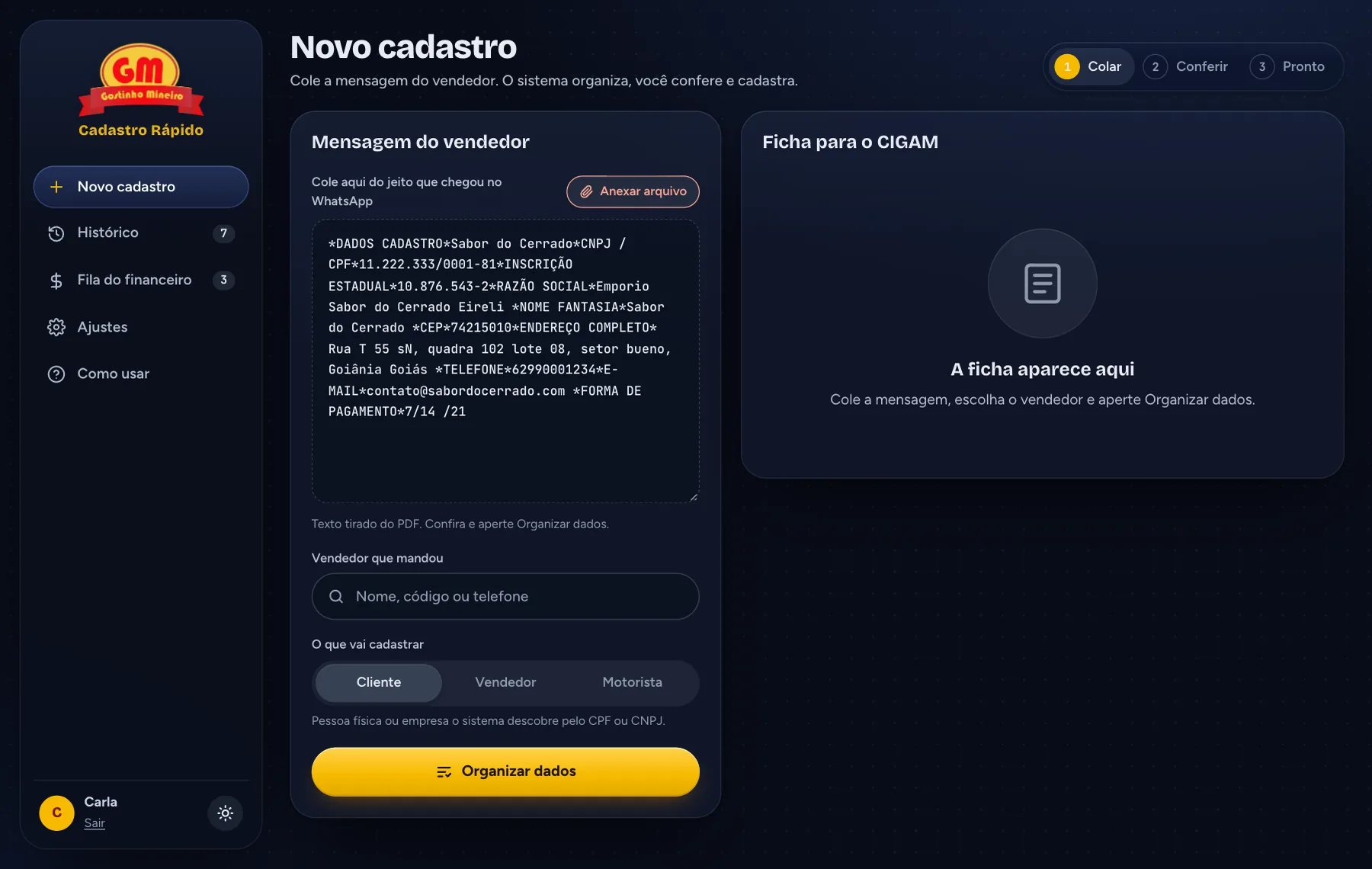
When the vendor sends a PDF, photo, screenshot or Word file, the person attaches it, drops it or pastes it with Ctrl+V. The text lands in the box and follows the same path as a message. 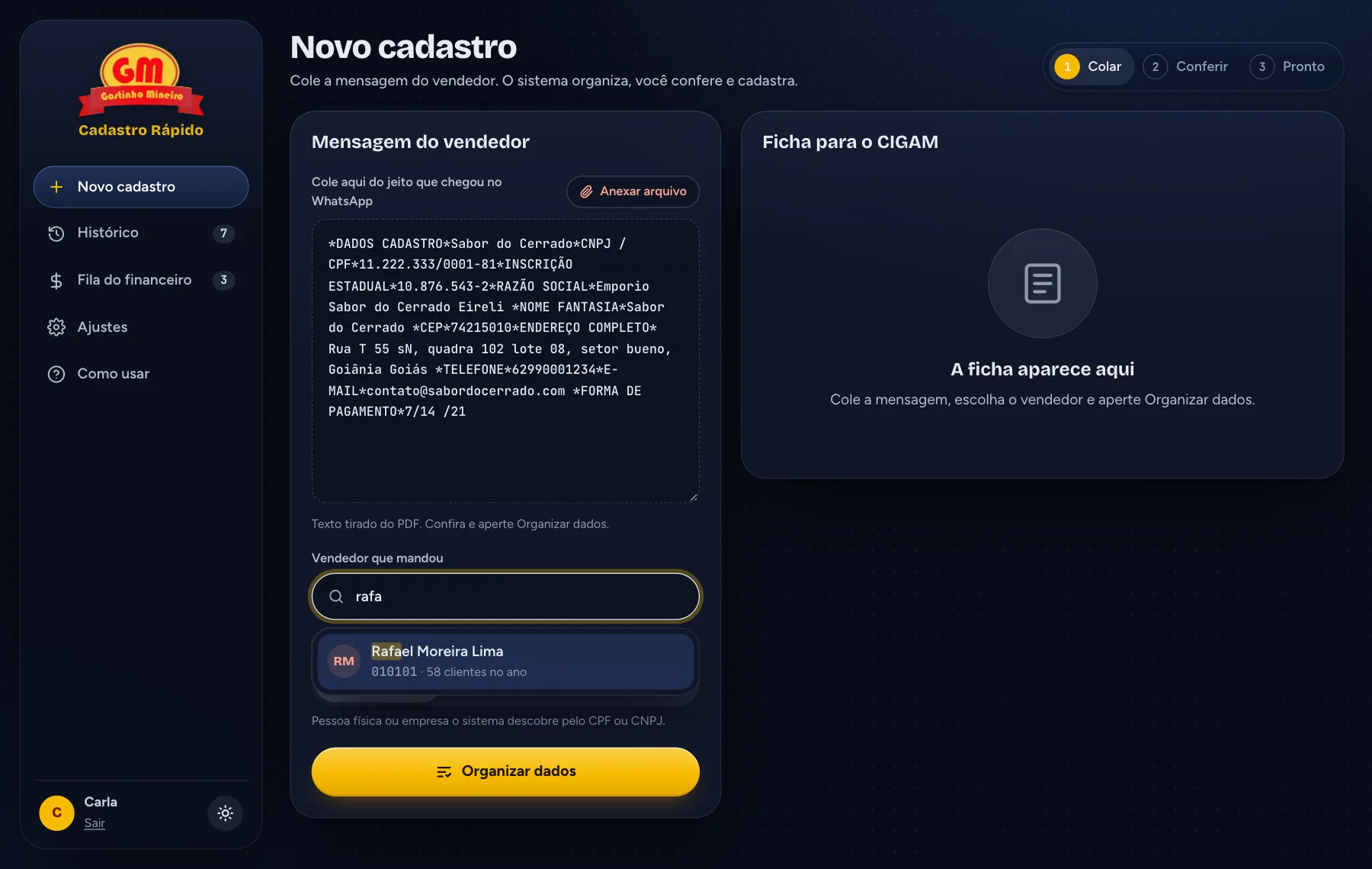
The vendor search finds by any part of the name in any order, without accents, by code or by phone, and tolerates one typo. When the message mentions the vendor, they come preselected. 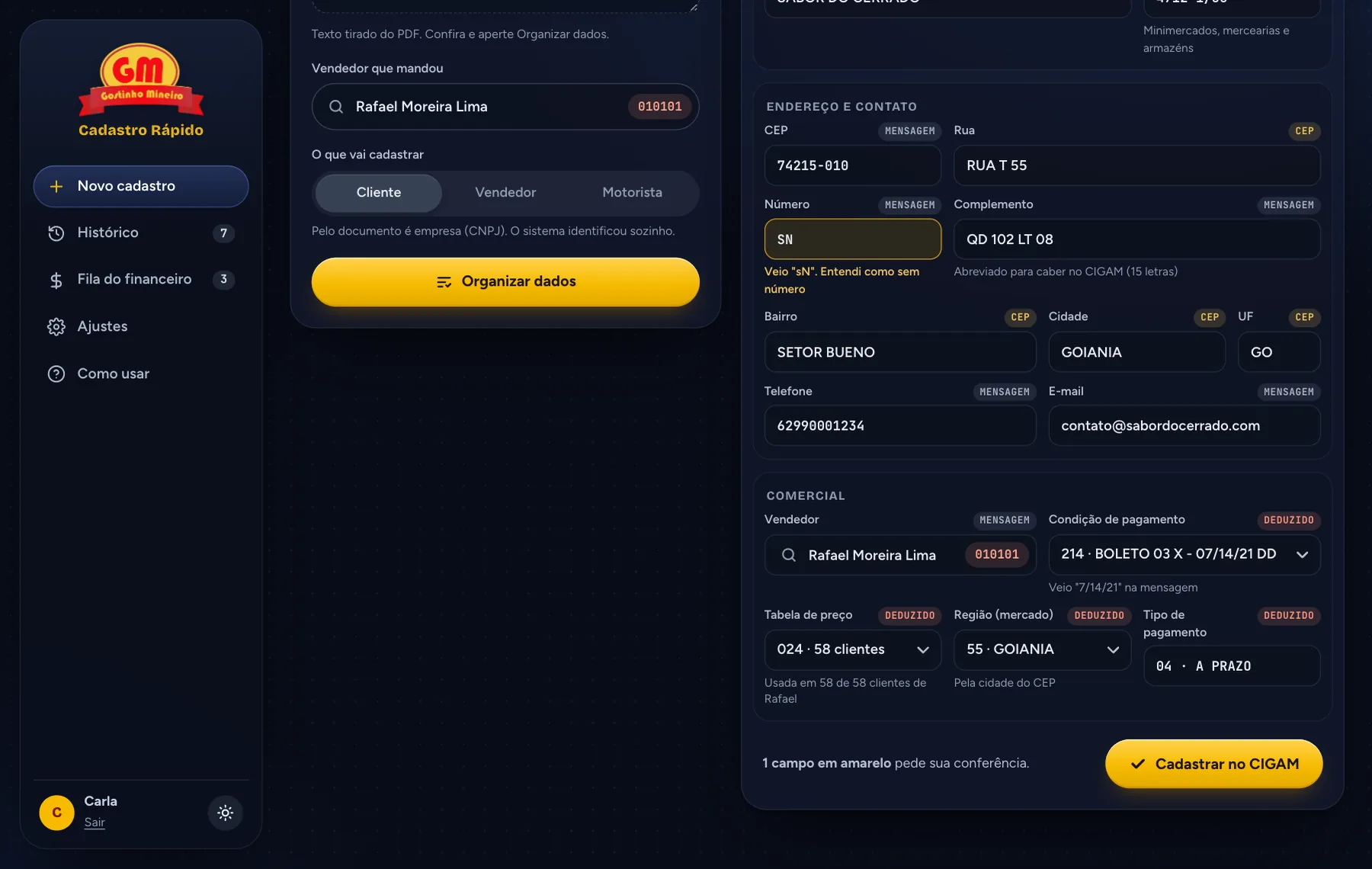
The commercial block is entirely inferred: the payment term comes from the days written in the message, the price table is the one the vendor uses most and the region comes from the postcode. The complement is abbreviated to fit the ERP field’s 15 characters. 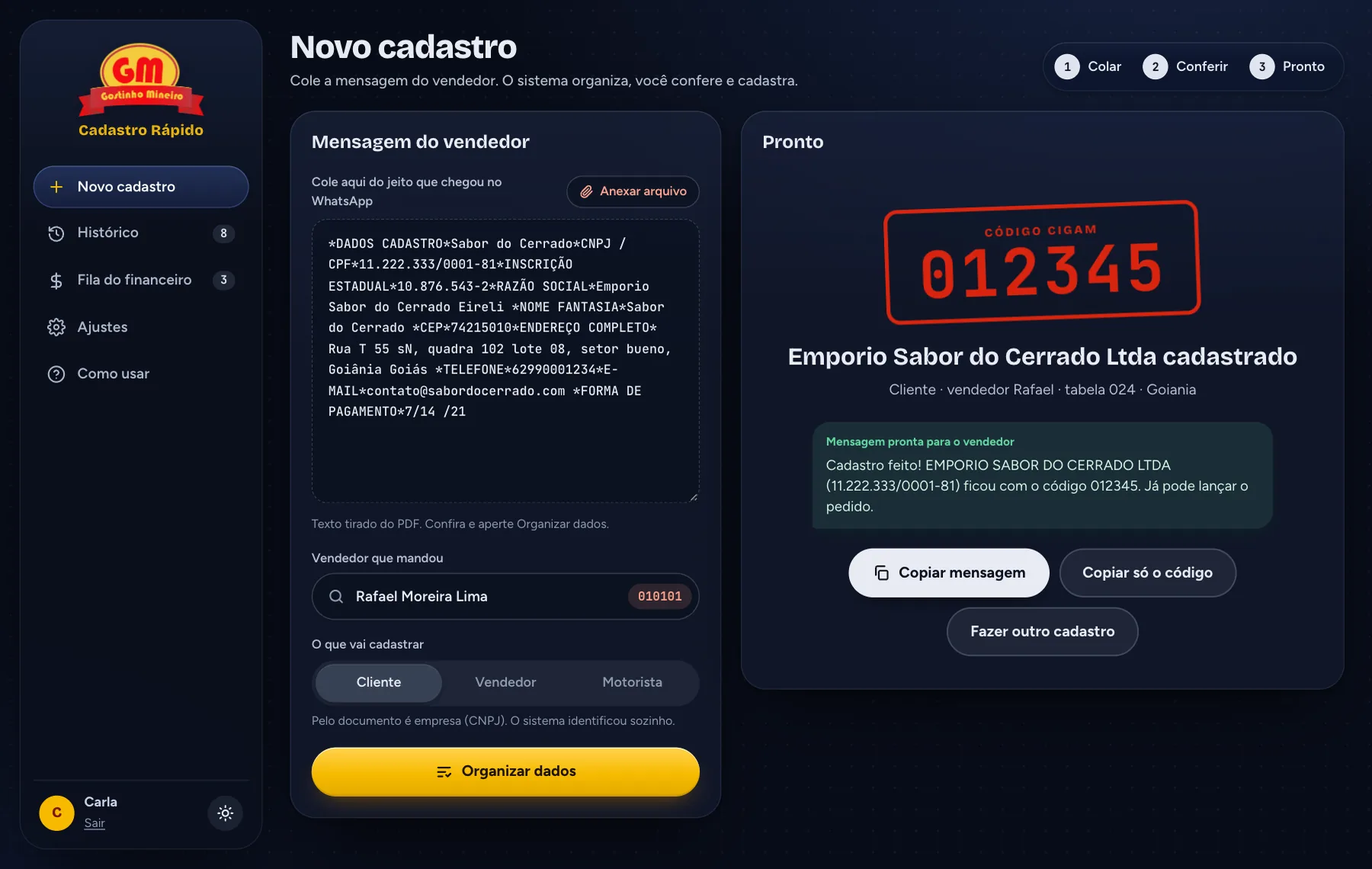
The ERP code shows up large, with a ready message to paste back into the vendor’s WhatsApp. If the ERP is slow to answer, the system checks by document whether it saved before reporting an error. 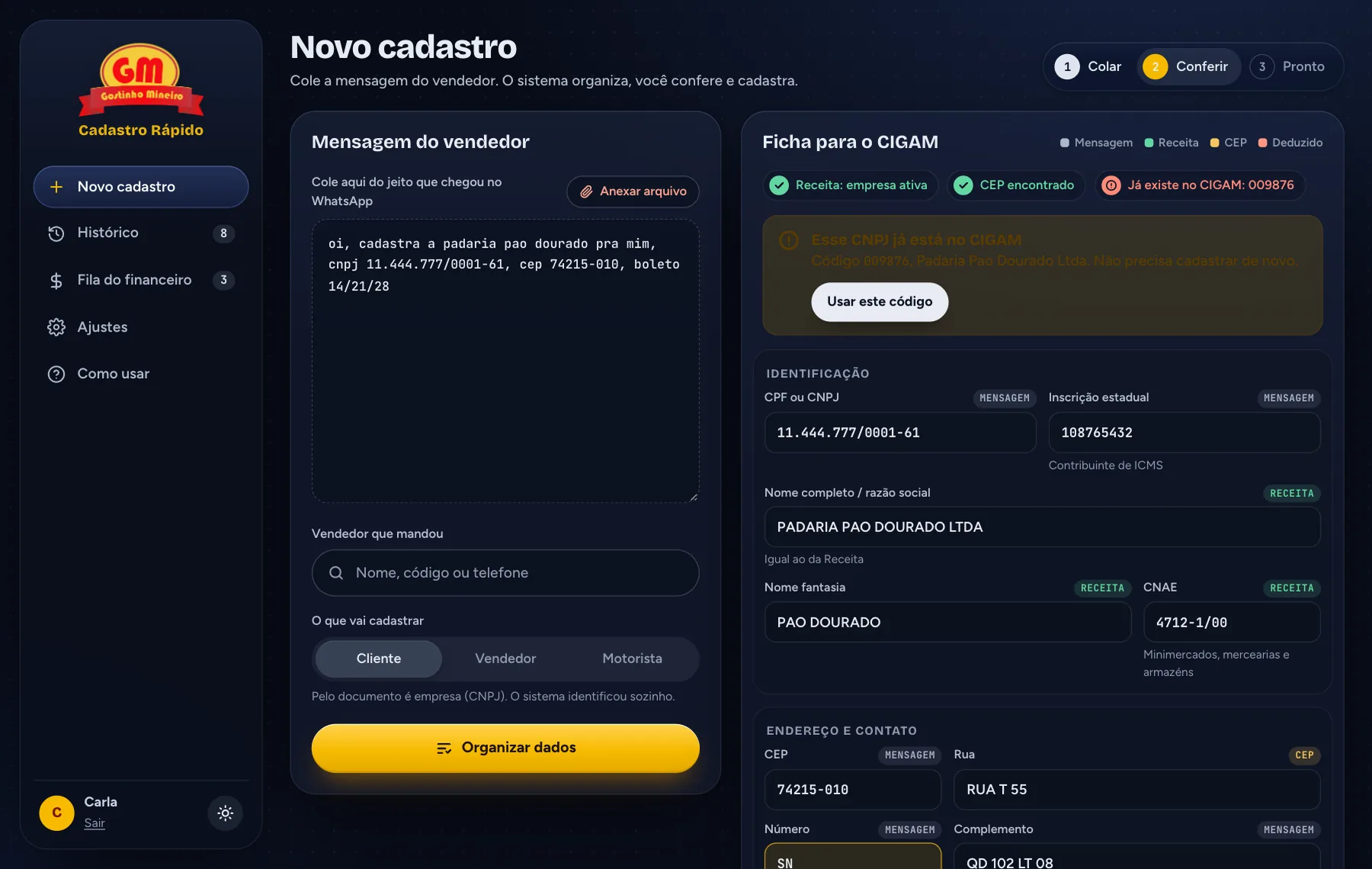
Before anything else the system looks the document up in the ERP. If the client already exists, it blocks a duplicate and hands back the code that was already there. 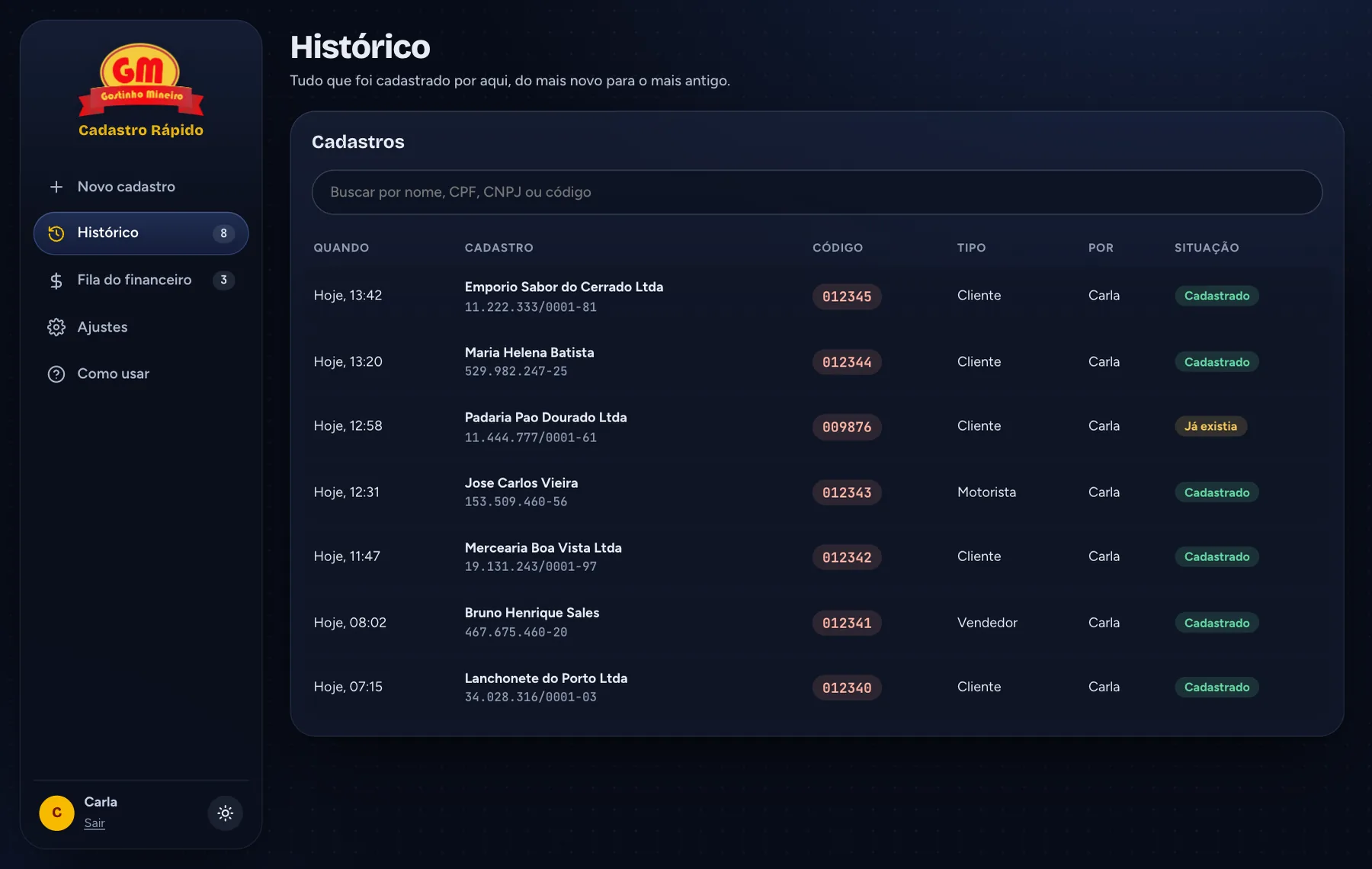
In the ERP every record shows as made by the same service user, so the history keeps who actually did it. Search by name, CPF, CNPJ or code, and one click copies the code. 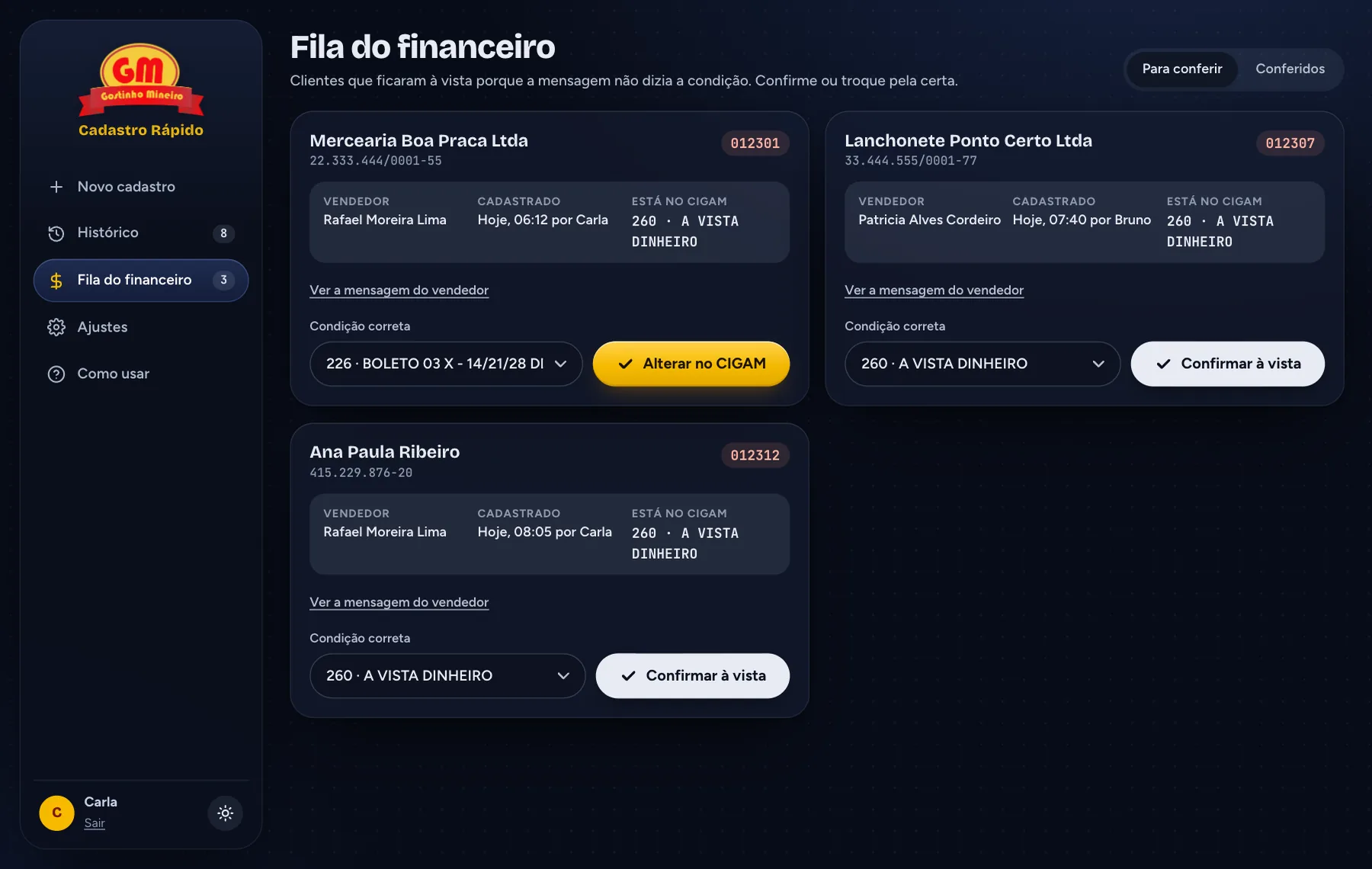
The finance queue: every client that went in as cash for lack of a payment term shows with the vendor and the original message. Confirming cash takes it off the queue; changing the term writes to the ERP and checks nothing else changed. 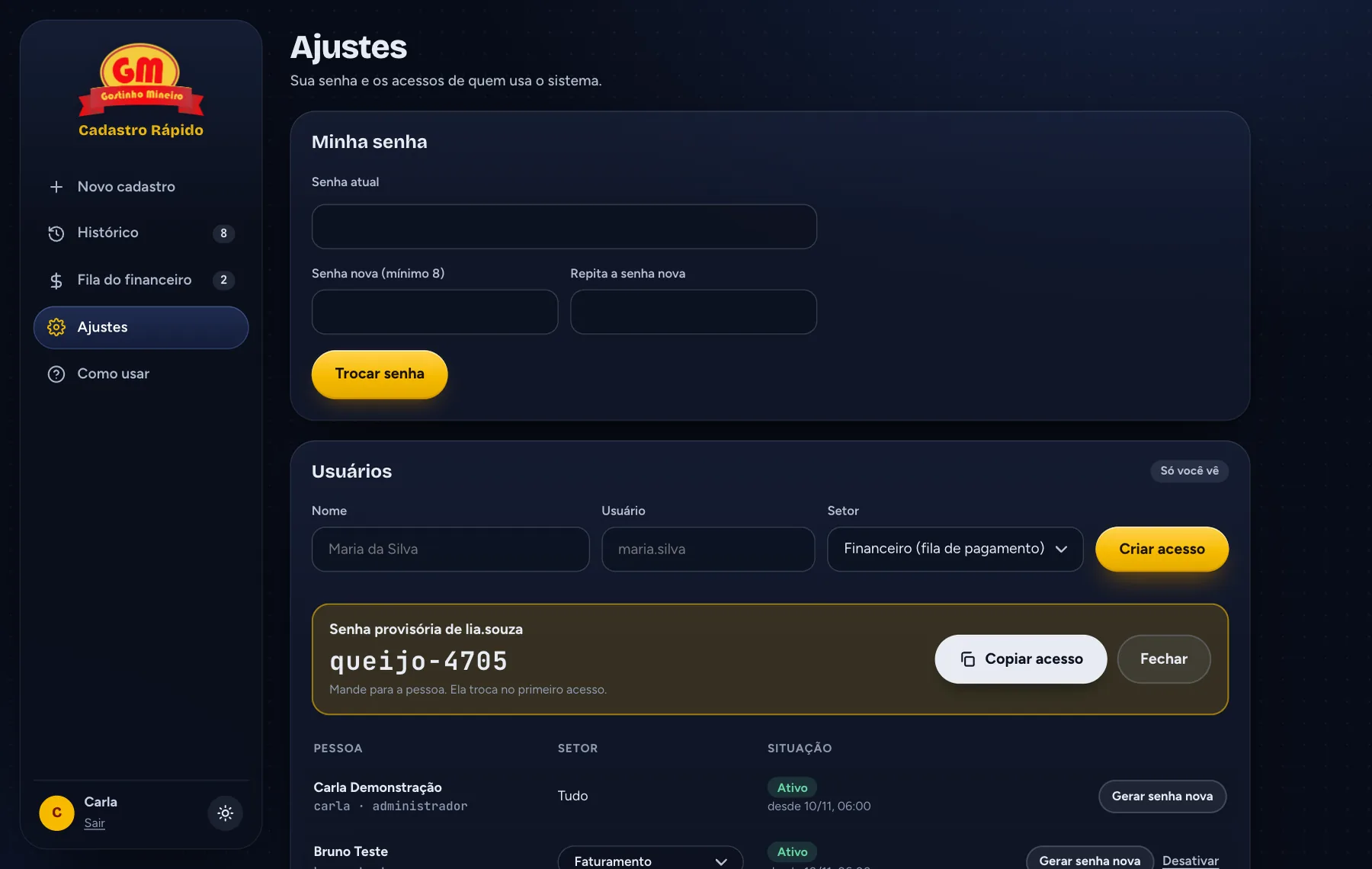
In Settings the admin creates an account by picking the department, and the temporary password comes ready to copy and send. Generating a new password solves forgotten ones; deactivating cuts access without erasing the history. 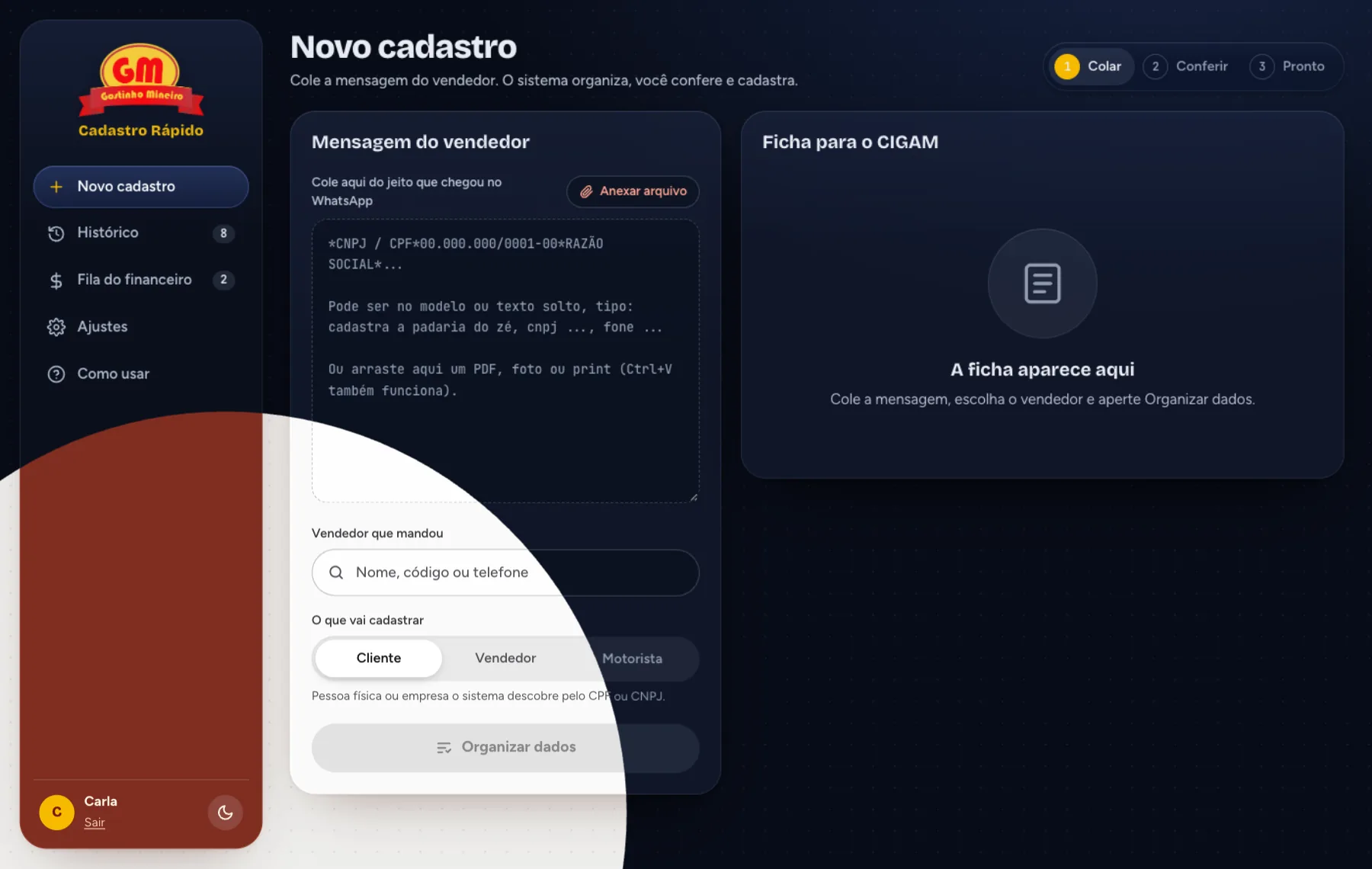
The system always opens in the dark, navy with the brand yellow. The button at the foot switches to light in a circle that grows from it; anyone who asked for reduced motion gets an instant switch. 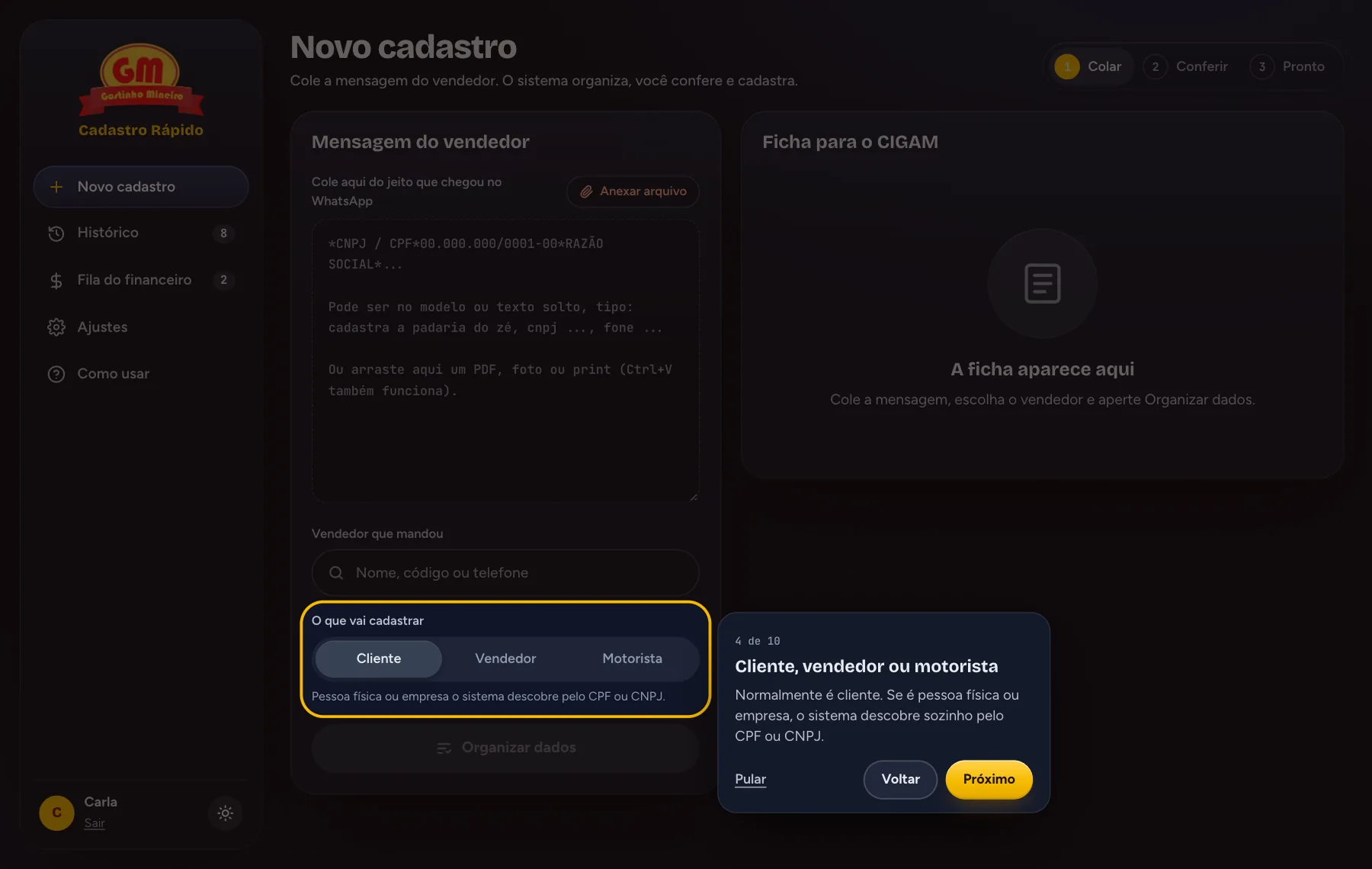
The tutorial opens by itself on first access and lights up one part at a time, and each department sees only the steps for its own screens. It comes back through the How to use menu. 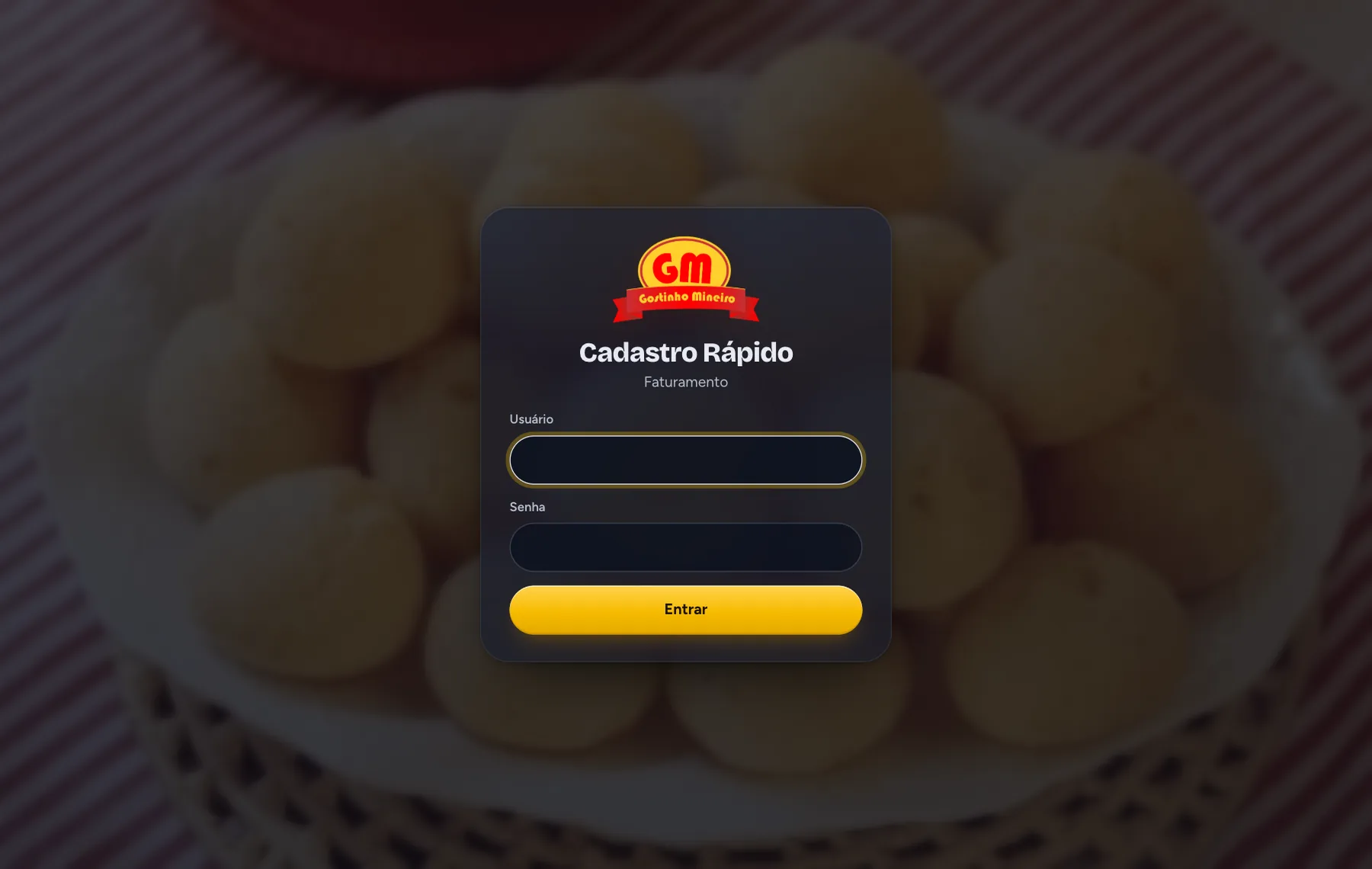
Each billing person has their own login, with a temporary password changed on first access. The product photo stays on the sign-in only, under a dark veil; inside, the background is plain so it does not tire whoever spends the day on it. 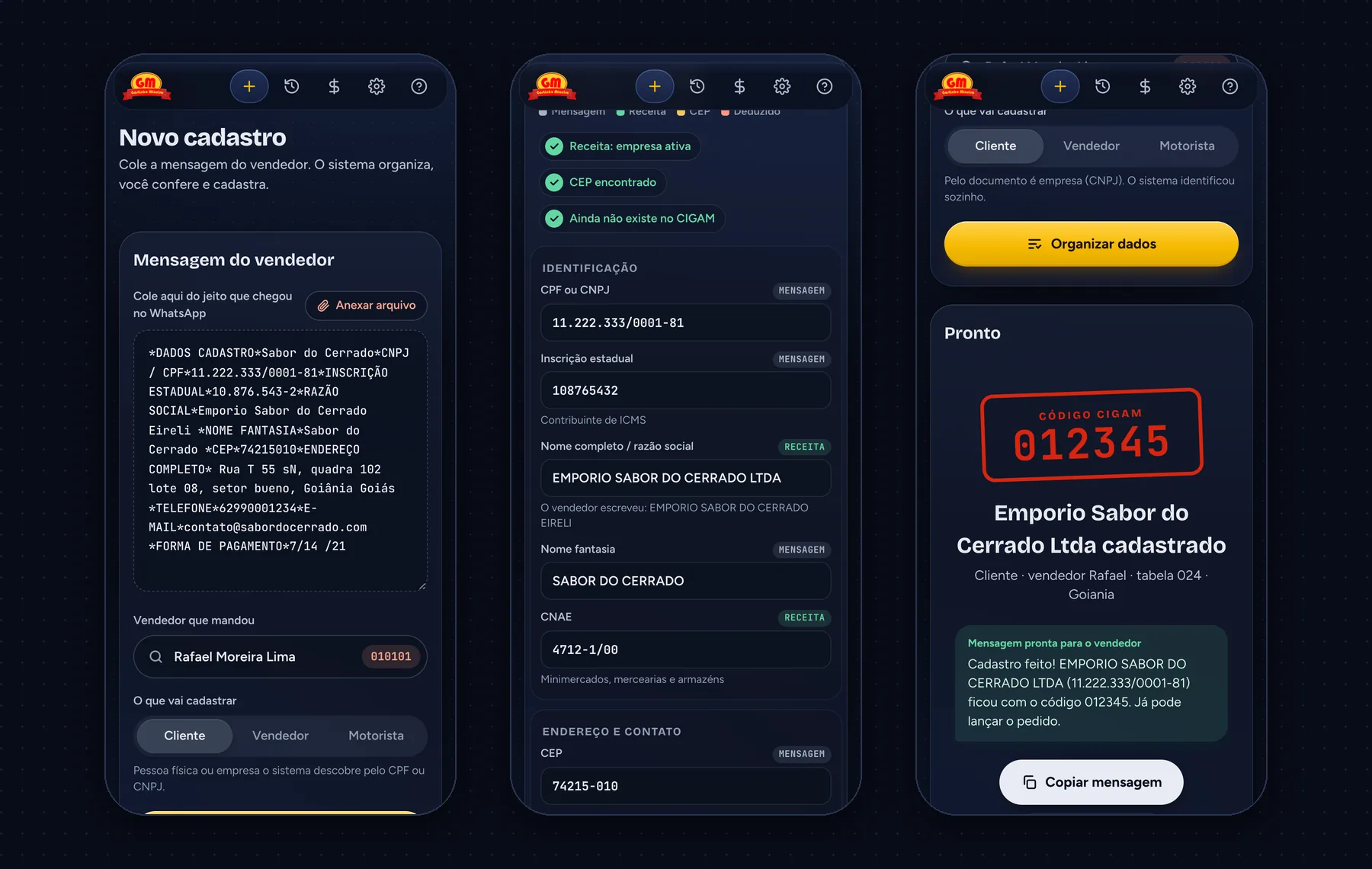
On a phone the menu becomes a strip at the top and the record flows into one column. Records can be made from the phone when a message arrives away from the office.