Estud.AI
A study app that turns a PDF into flashcards with AI and tells you the right moment to review each one, before you forget it.
- Live with a 7 day free trial; payments have not opened yet
- Reviews scheduled with FSRS, the same algorithm Anki started offering
- Plan, XP, streak and AI quota enforced in the database, with 63 automated checks
- PDFs and Anki decks are read in the browser: the file never leaves the computer
How it worked before.
People studying for an exam tend to study the way that works least: rereading the summary and highlighting it again. It feels like the content stuck, but the forgetting curve is still there, and by exam week half of it is gone.
Spaced repetition fixes that, and Anki has proven it for years. But it asks for the discipline to build card after card and looks like a spreadsheet. Estud.AI was born to remove those two barriers: the AI builds the cards from the material, and the app says what to review each day.
What changed.
The flow is short: you upload a PDF or paste some text, review the cards the AI suggested and save them. From then on FSRS works out when each card comes back, and the rating buttons already show the next interval, from Again in 1 minute to Easy in 4 days. The PDF is read in the browser itself; only the text goes on to the AI.
Whatever cannot be gamed lives in the database. XP, level, the daily streak, the daily points cap, the AI card quota and read only mode for people who have not subscribed are triggers and RLS policies in Postgres, not conditionals on the screen. Before going live, those rules went through 63 checks against a Supabase instance running on my machine.
The landing page tells the old way of studying before it shows the product, and it opens with the logo assembling itself piece by piece, built only with the browser’s Web Animations API. What does not exist yet, like the tutor that answers from your own files, is marked as coming soon.
A look inside.
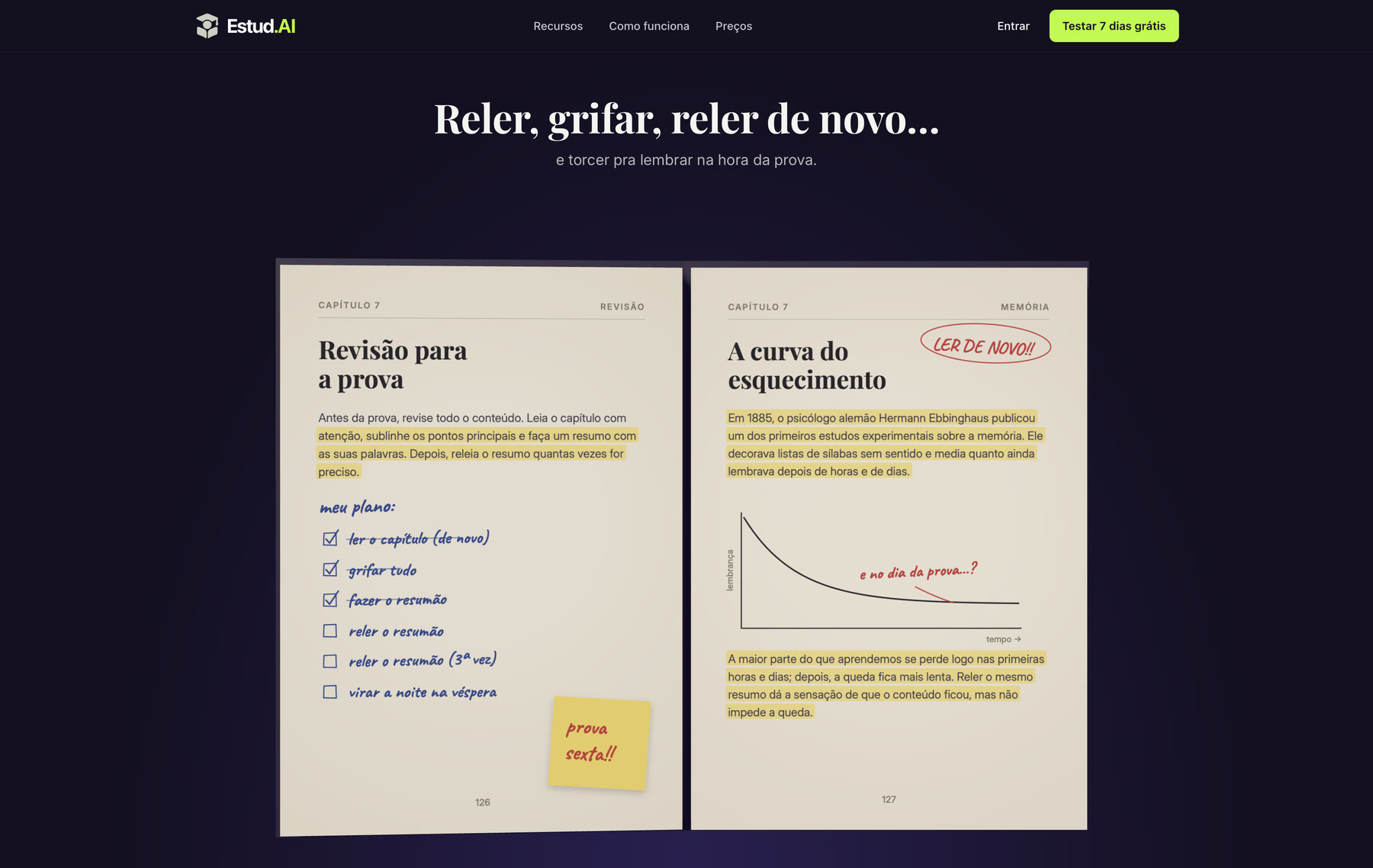
The old way, drawn as an open notebook: the plan crossed off item by item, the highlighted summary and the forgetting curve with the scribble “and on exam day…?”. A 3D book opens as the page scrolls, and only after that does the product show up. 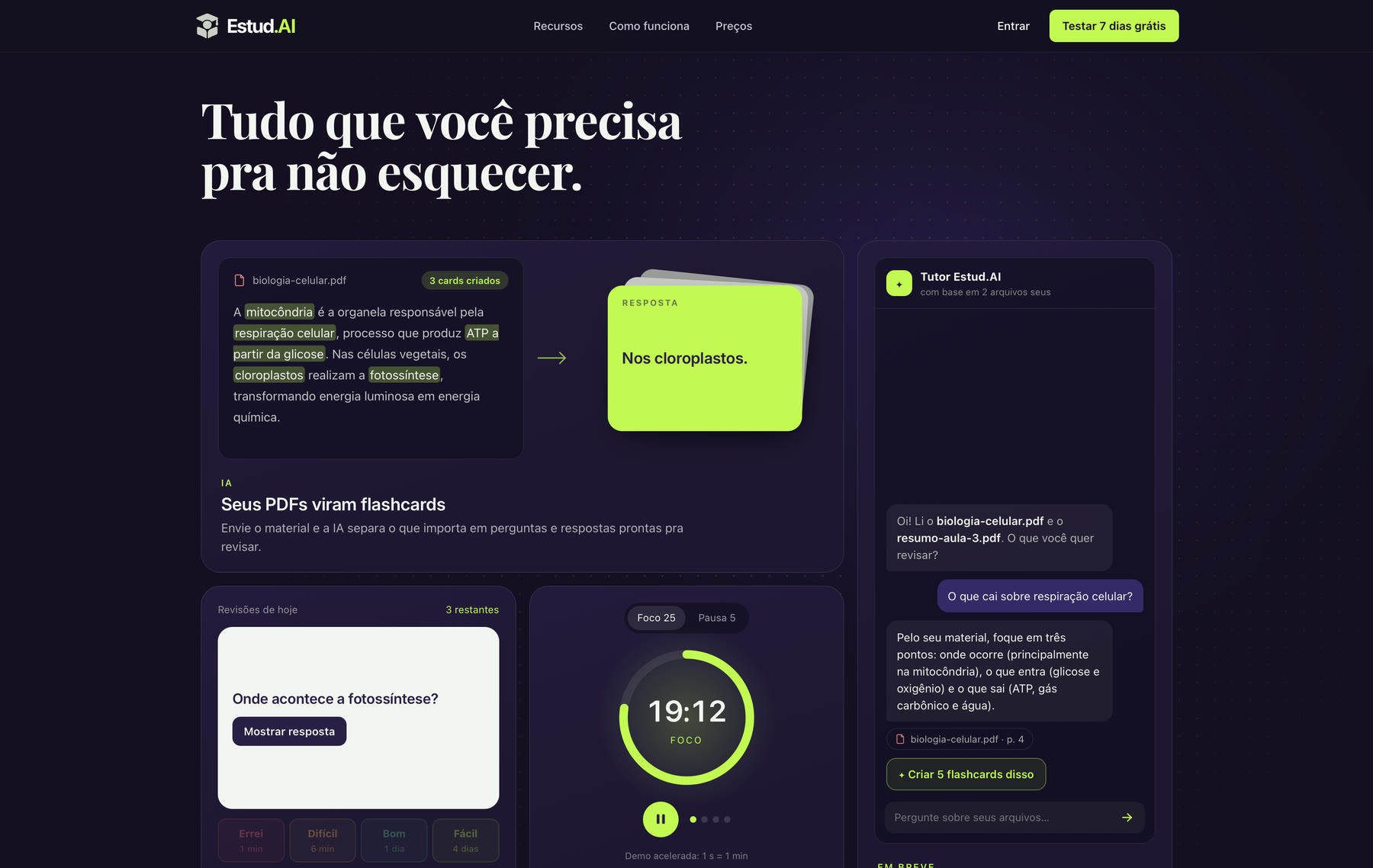
The features are shown working instead of listed: the PDF text gets highlighted and turns into cards, the review shows each button’s interval and the pomodoro runs fast forward. The tutor is marked as coming soon, because it does not exist in the app yet. 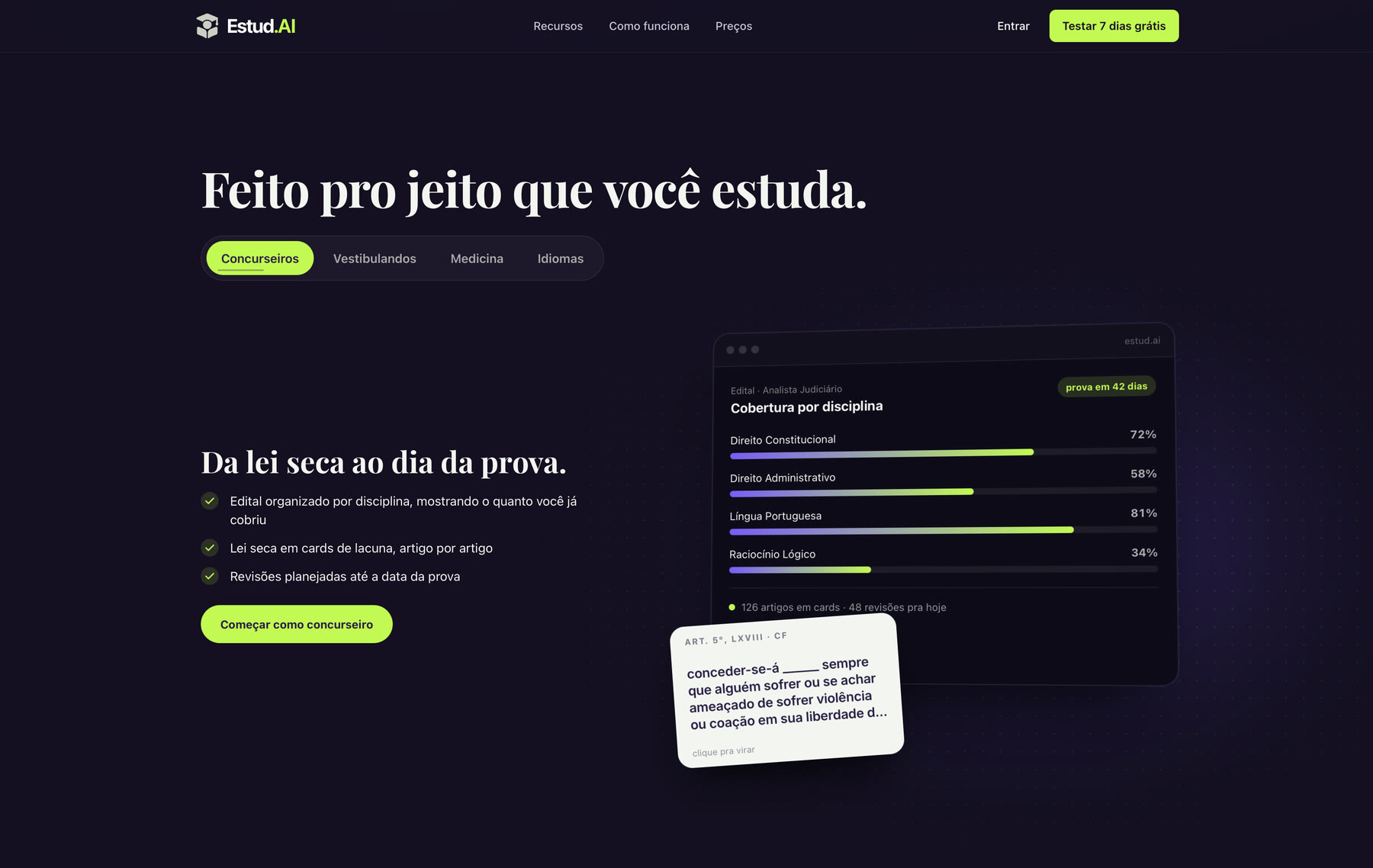
Each audience gets its own screen. Civil service candidates see the syllabus by subject and the letter of the law as fill in the blank cards; university entrance, medicine and languages get their own examples. It is the same tool, told in the language of whoever is going to use it. 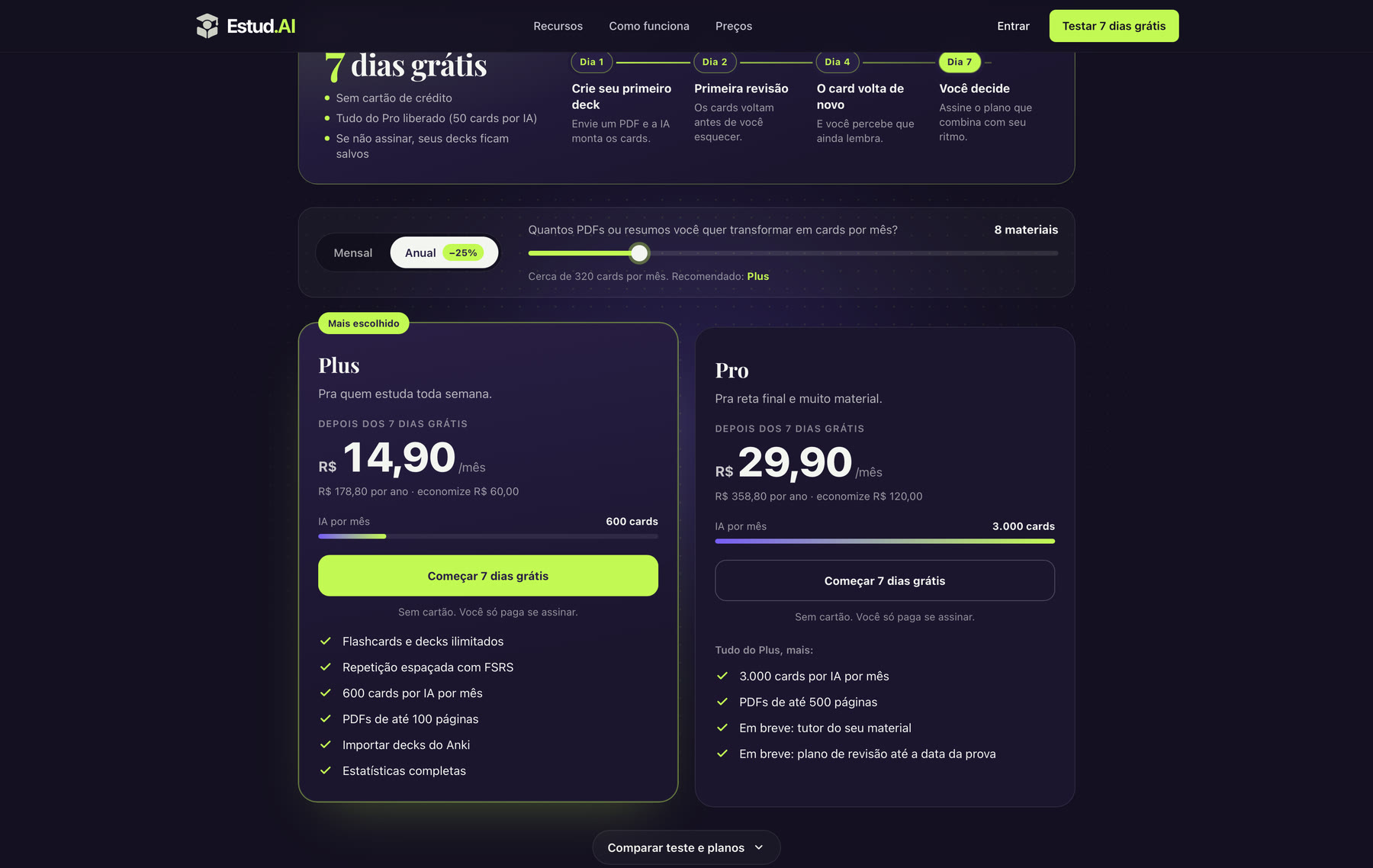
The pricing answers the question that matters, how many PDFs you want to turn into cards each month, and recommends the plan from it. The 7 day trial shows up as a timeline of what happens on each day, because spaced repetition proves itself within the trial. 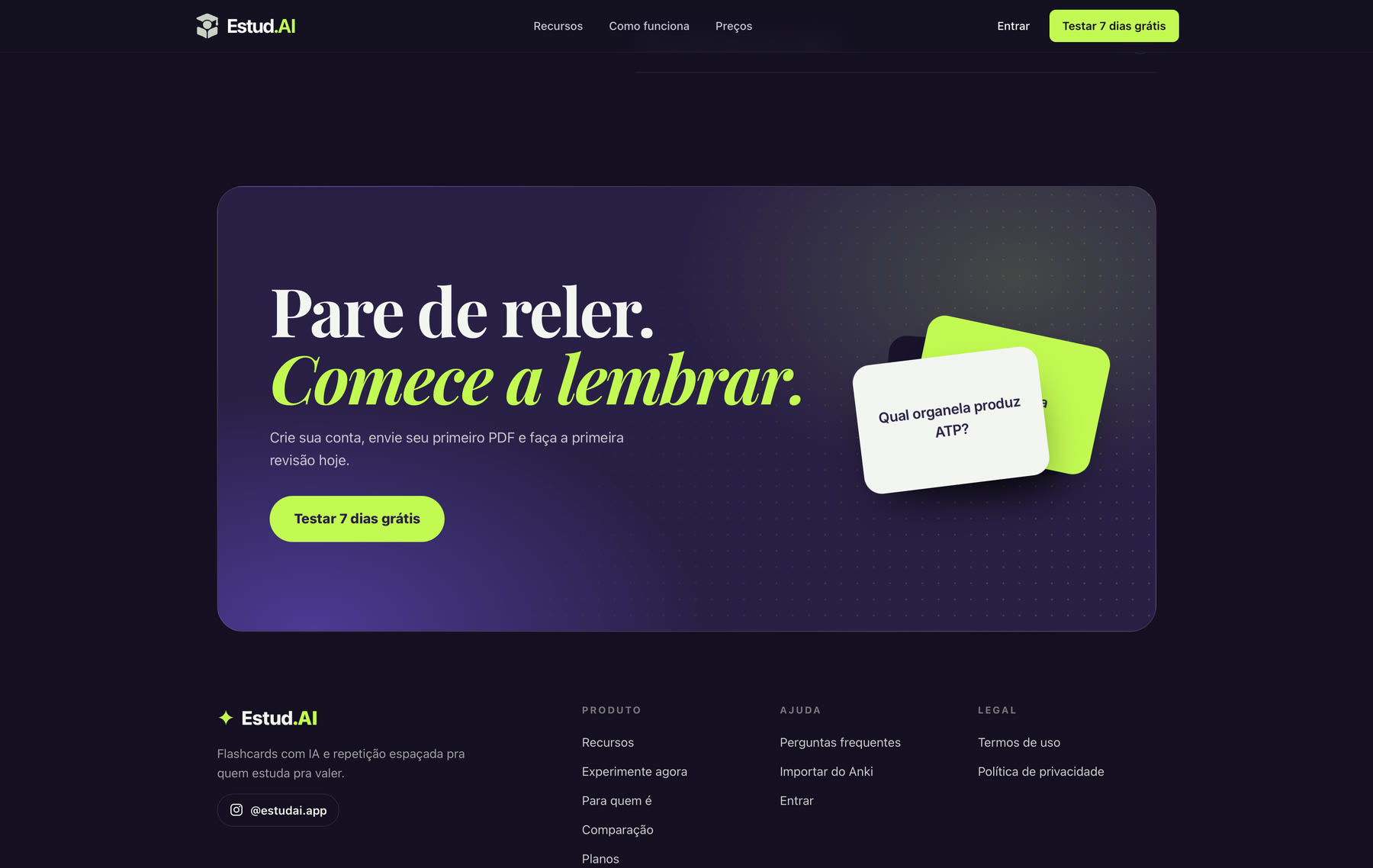
The closing call repeats the promise with a real card in hand: which organelle produces ATP? With no form in the way, the button goes straight to the free trial sign up. 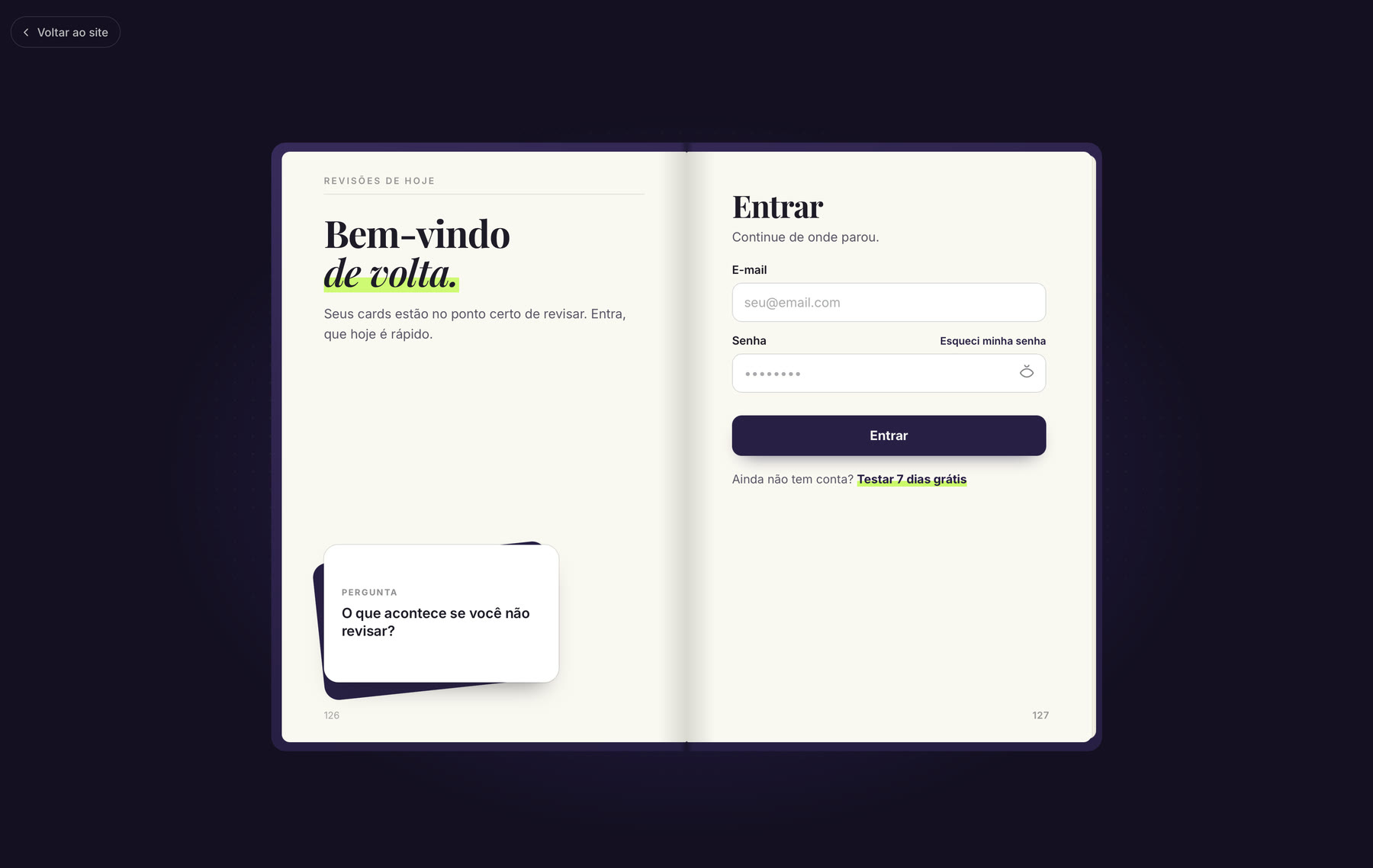
Signing in and creating an account happen inside an open notebook: the left page speaks to whoever is coming back, the right one holds the form. It is the same book metaphor as the landing page, carried all the way to the app’s front door.