Desafio Go Win
A complete 31-day fitness challenge: the landing that sells, the quiz that builds the plan, the payment, access over WhatsApp and the app where people train, check in and compete on the ranking.
The quiz in the video was filled in with a made-up person and stopped before payment. The app is shown in demo mode, with sample participants and posts: no data from real sign-ups appears on screen.
- From the first visit to the first workout with nobody from support in between
- A 10-question quiz that becomes the plan shown before payment
- Workouts built automatically from the health questionnaire, out of a library of more than a thousand exercises
- Points for workouts, cardio, water and surprise tasks, with a streak multiplier
How it worked before.
The trainer wanted to turn the 30-day challenge into a product that repeats a few times a year. An off-the-shelf workout app handles the plan but leaves out the rest: selling, charging, delivering access, the group and the points, which end up done by hand, person by person.
To manage that without growing the team, the whole path had to run on its own: sell, charge, deliver access, build a safe workout for each level and keep people coming back for 31 days.
What changed.
The landing is a single screen, with the promise, what the challenge includes, the dates and the pre-sale price. The button leads to a ten-question quiz: goal, how the person feels, what has held them back, how many days and where they will train, and a field to write their biggest goal in their own words. At the end their plan appears, echoing the answers, and only then the price and the pay button, by Pix or card through AbacatePay.
When the payment lands, the system already creates the account. The confirmation page has a video from the trainer and a button that opens WhatsApp with a ready code; a bot answers with the app link, a temporary password and the community group. I went this way because a new WhatsApp number cannot start conversations, so the person always writes first.
On first access comes the health questionnaire, with questions from the trainer and the nutritionist. It sets the level and raises a green, yellow or red flag: green gets the workout plan right away, built automatically from the exercise library; yellow waits for the trainer’s approval; red only trains after clearance. A masked tutorial walks through each part of the app.
Daily use happens in four tabs: Today, with tasks and points; Workout, with the day’s plan; Feed, where a photo check-in becomes a post with likes and comments; and the ranking, with a podium and a tiebreak by number of workouts and longest streak. On the other side, the team panel shows sign-ups, the questionnaire queues, the proofs for surprise tasks and each week’s content.
A look inside.
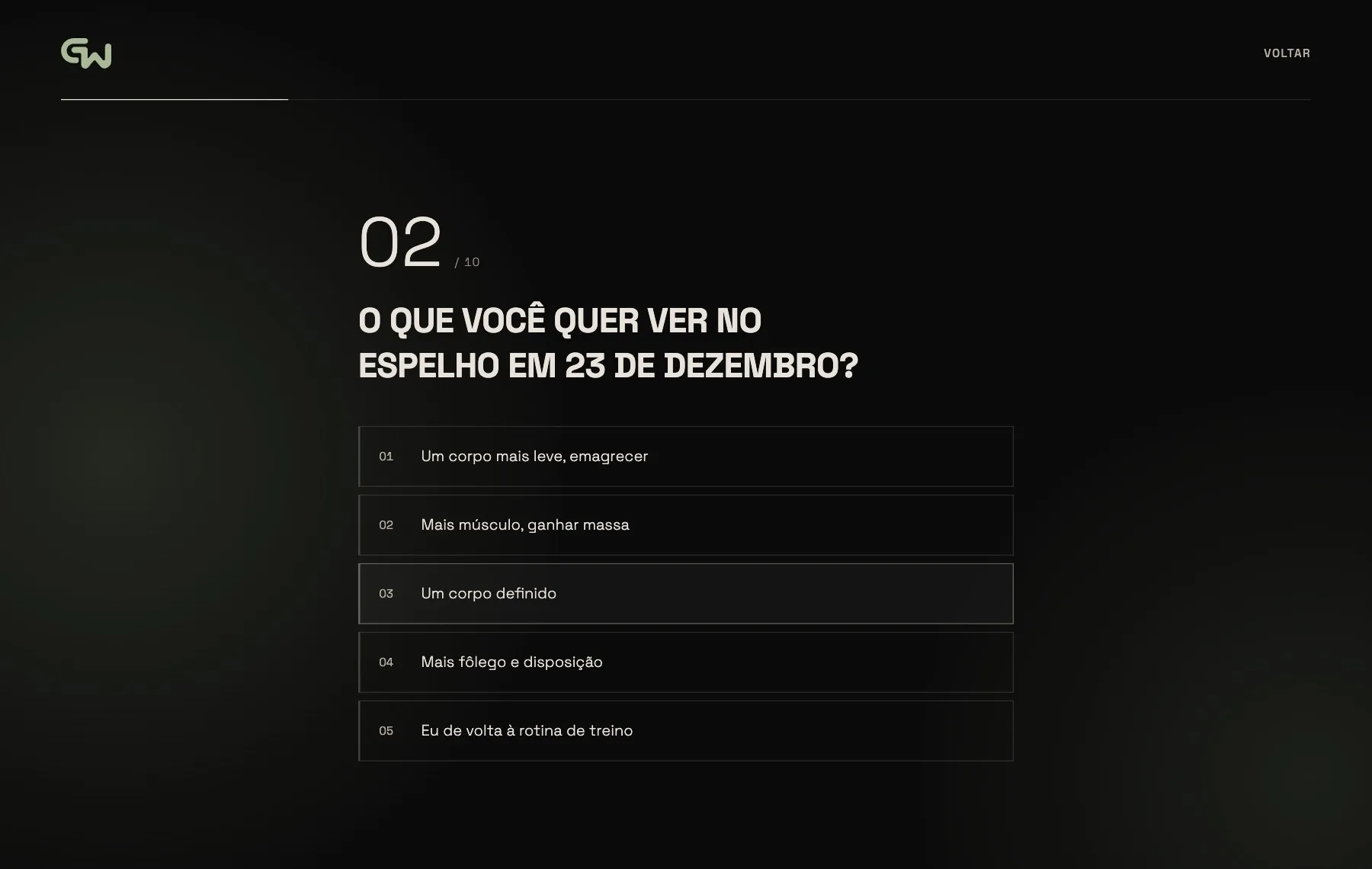
One question per screen, with the number and progress at the top. The quiz keeps answers on the device and picks up where it stopped if the person leaves. 
The price only shows after the plan. The page repeats the goal, the sentence the person wrote and what held them back, and shows when the pre-sale ends. 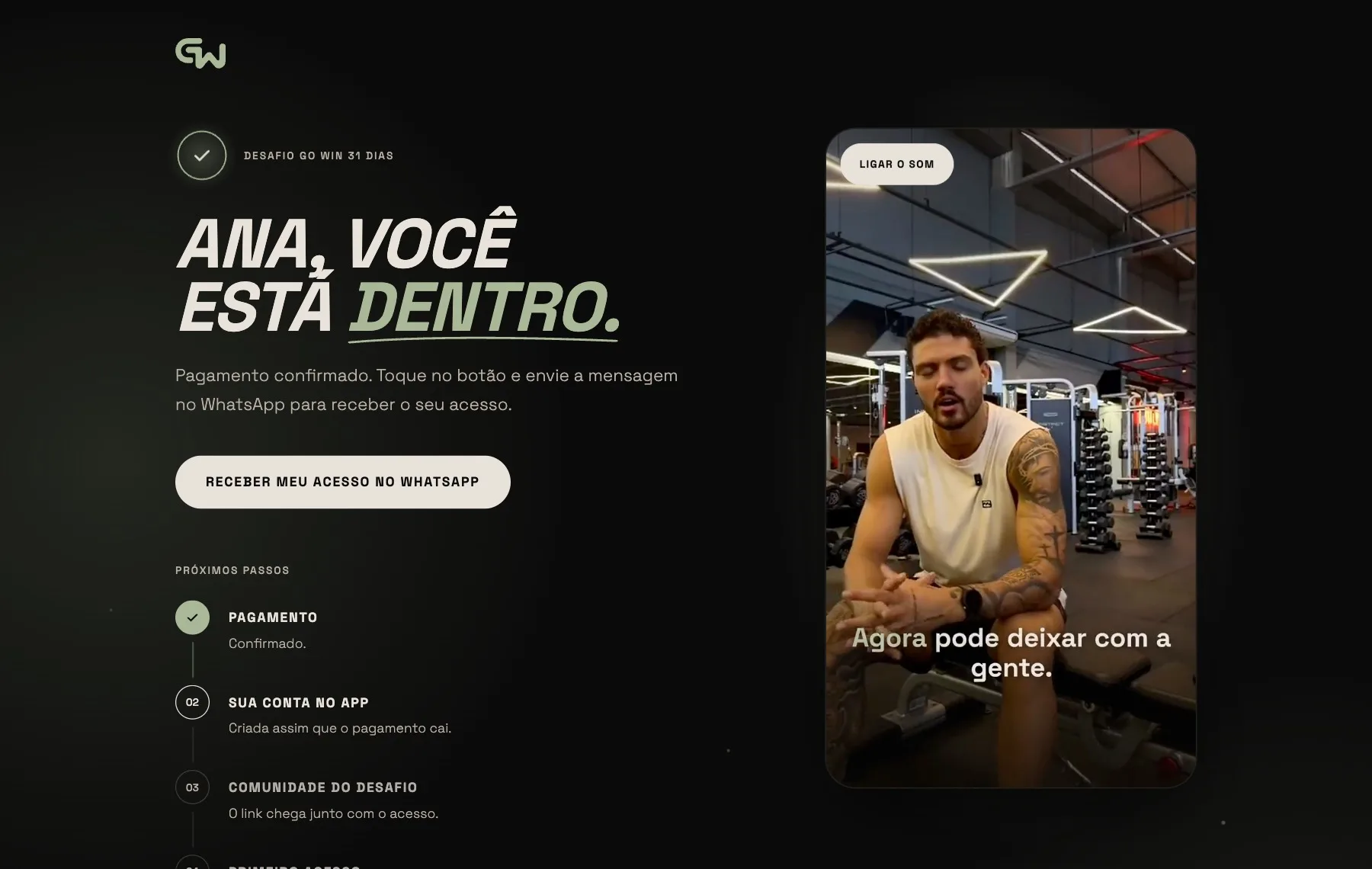
After payment, the trainer congratulates the person on video and the page lists the next steps. The button opens WhatsApp with the sign-up code already written. 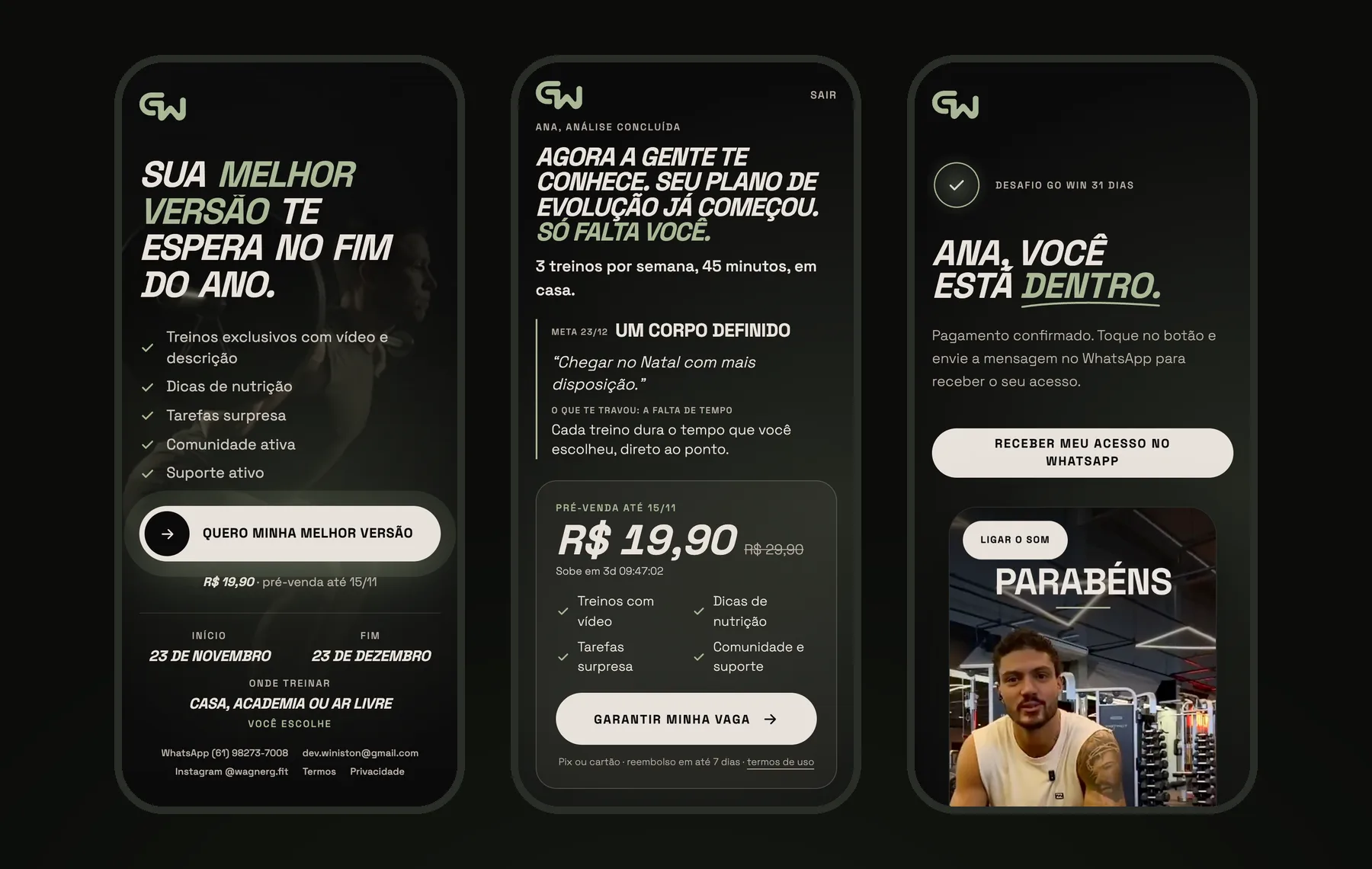
Promotion happens on Instagram, so almost every visit comes from a phone. The landing fits one screen and the pay button stays in view on the plan. 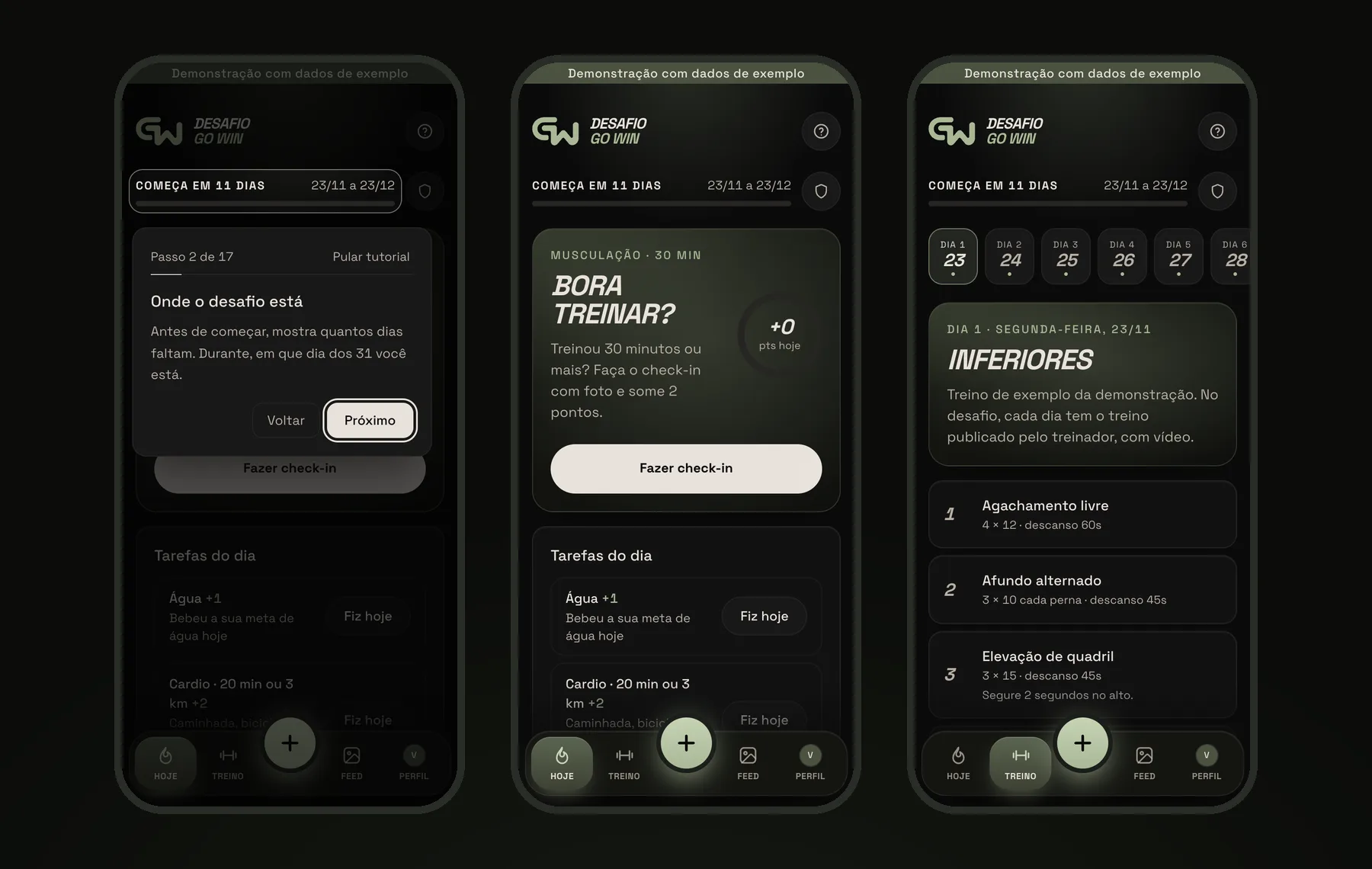
The tutorial lights up one part at a time. The Today tab holds the check-in and the day’s tasks; the Workout tab, the plan with sets, reps and rest. 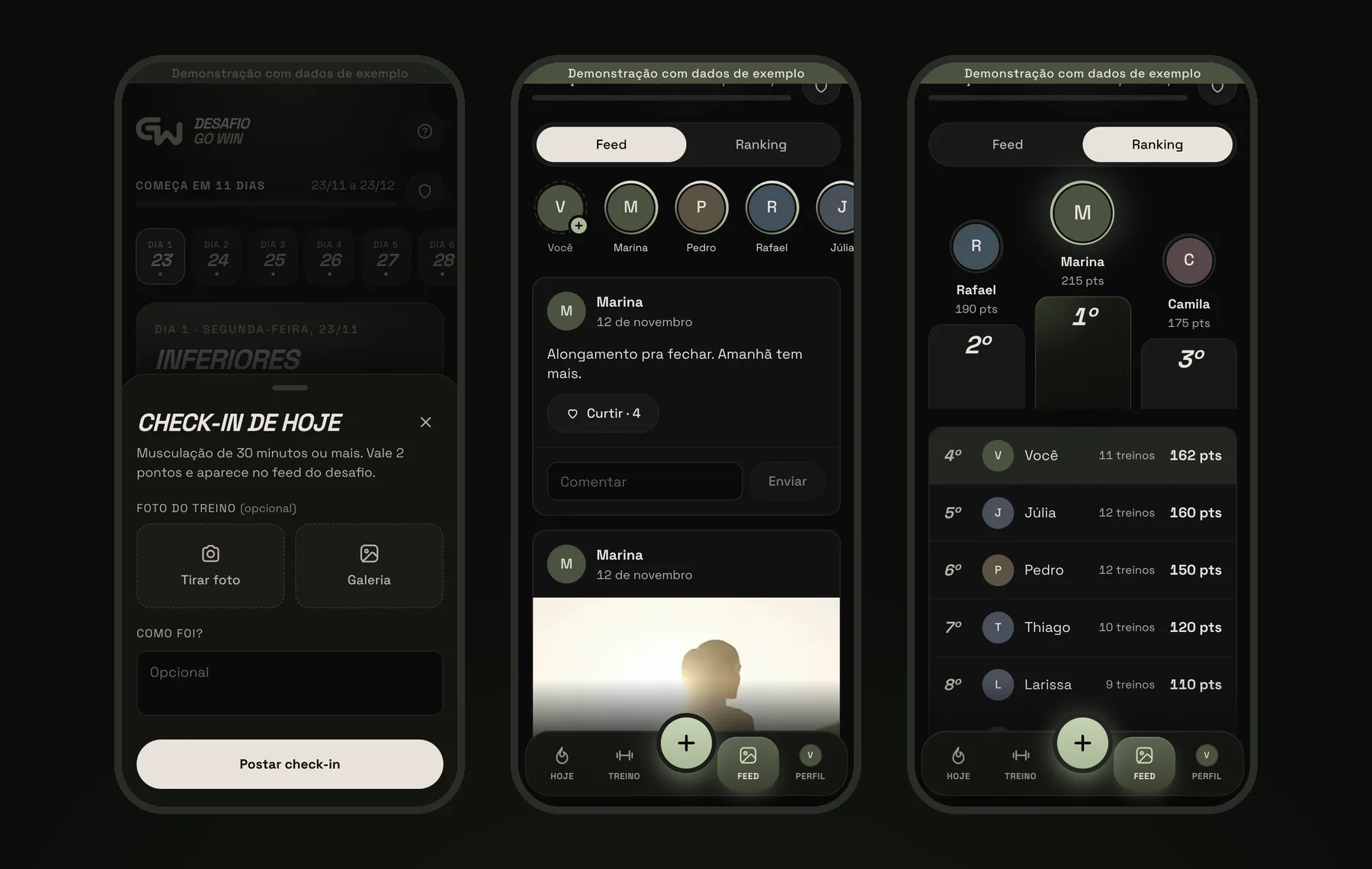
The check-in takes a photo from the camera or the gallery and becomes a post in the feed. The ranking shows the podium and the viewer’s own position.