Catálogo de Funcionários
The factory's internal shop: employees buy against payroll credit and the order posts itself into the ERP as a receipt.
- 379 employees, 363 orders since April 2026
- 83 of 85 orders posted themselves to the ERP since August
- Credit, order cut-off and the gate list all run themselves
How it worked before.
The employee sent a message to the billing team. Someone there dropped their own work and typed the order into the system, item by item.
The wrong item went out, the wrong price went out, and it was slow. The cost was not only the mistake: it was the billing team's time, every day, spent on work that was never theirs.
What changed.
The employee builds their own order, with their balance in sight and the price already worked out. Nobody types anything on anyone else’s behalf any more.
From there the order posts itself into the ERP, becomes a receipt and comes out cleared for billing. Since the integration went live in August, 83 of 85 orders made that trip untouched.
What was left for the billing team is printing the list and handing it to the packing floor.
A look inside.
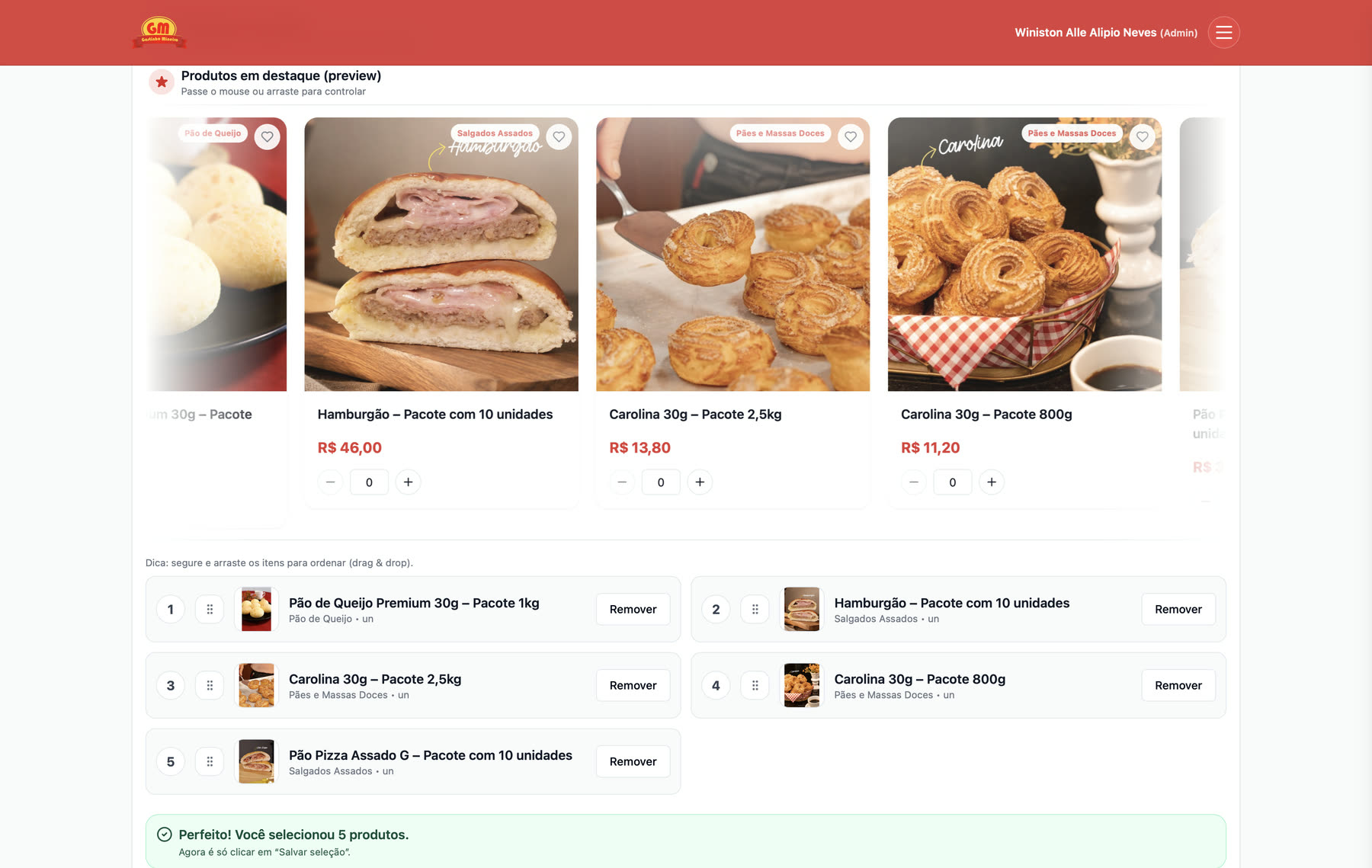
The shop window that opens the catalog is picked and ordered by dragging, with a live preview right above. The shop team builds it, and the preview is there so nobody has to publish just to find out how it looks. 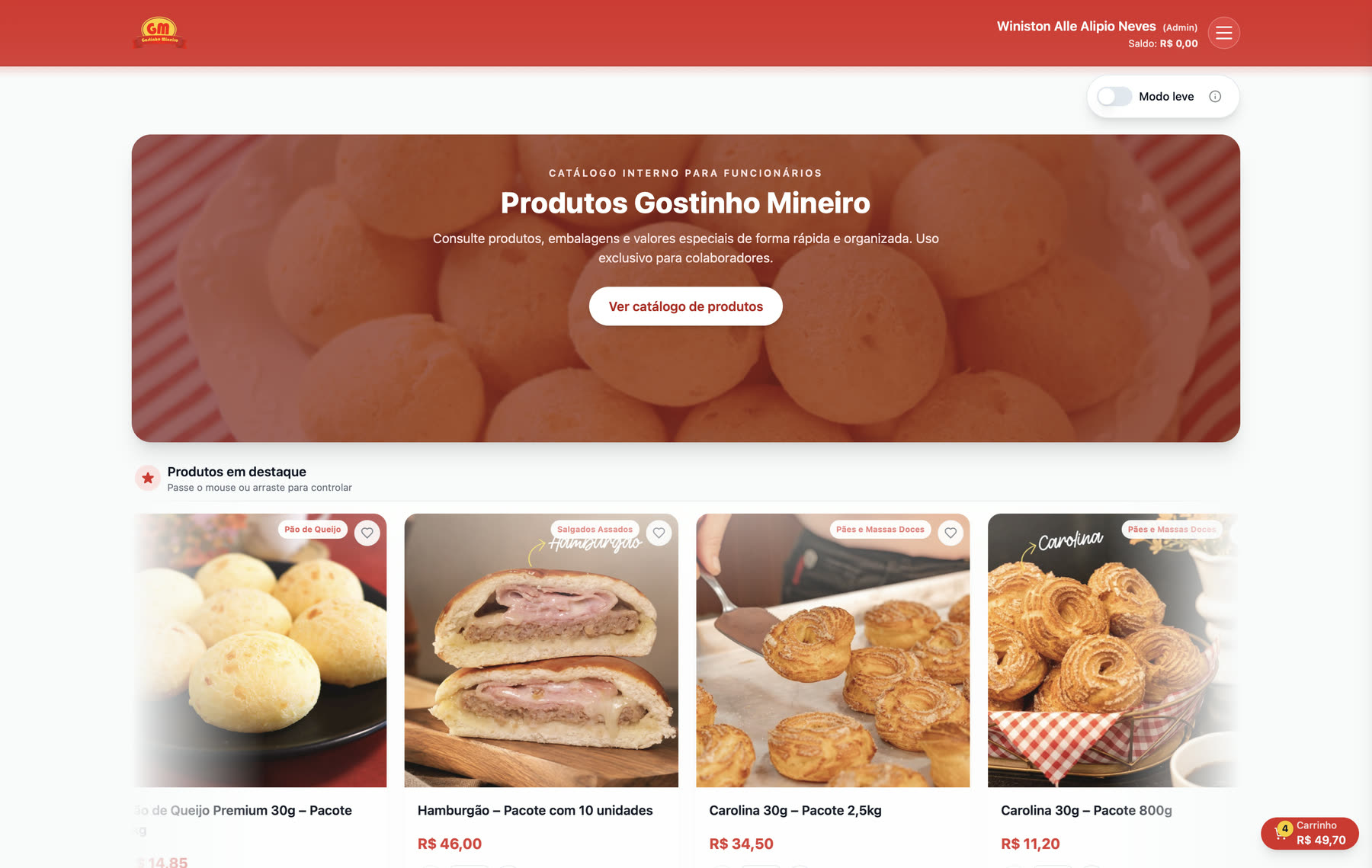
The balance sits at the top, beside the name, and follows the person across every screen. Buying here means spending a credit that runs out, so hiding what is left would hide the very thing that decides the purchase. 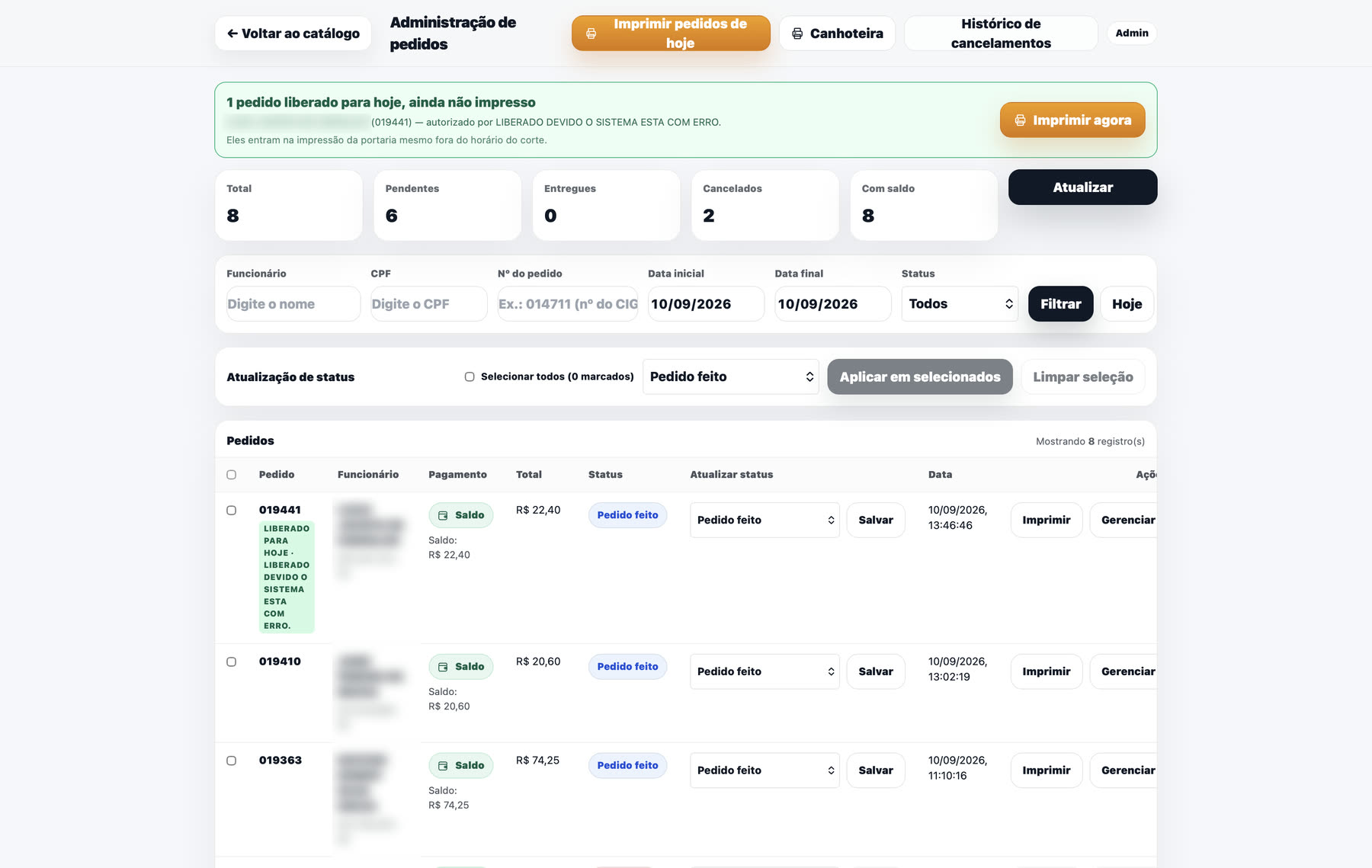
The billing team's screen. The green banner is an order placed after 13:40 that HR released to go out the same day: this used to live outside the system, as a spoken message, and the order was born on the next day's paperwork. 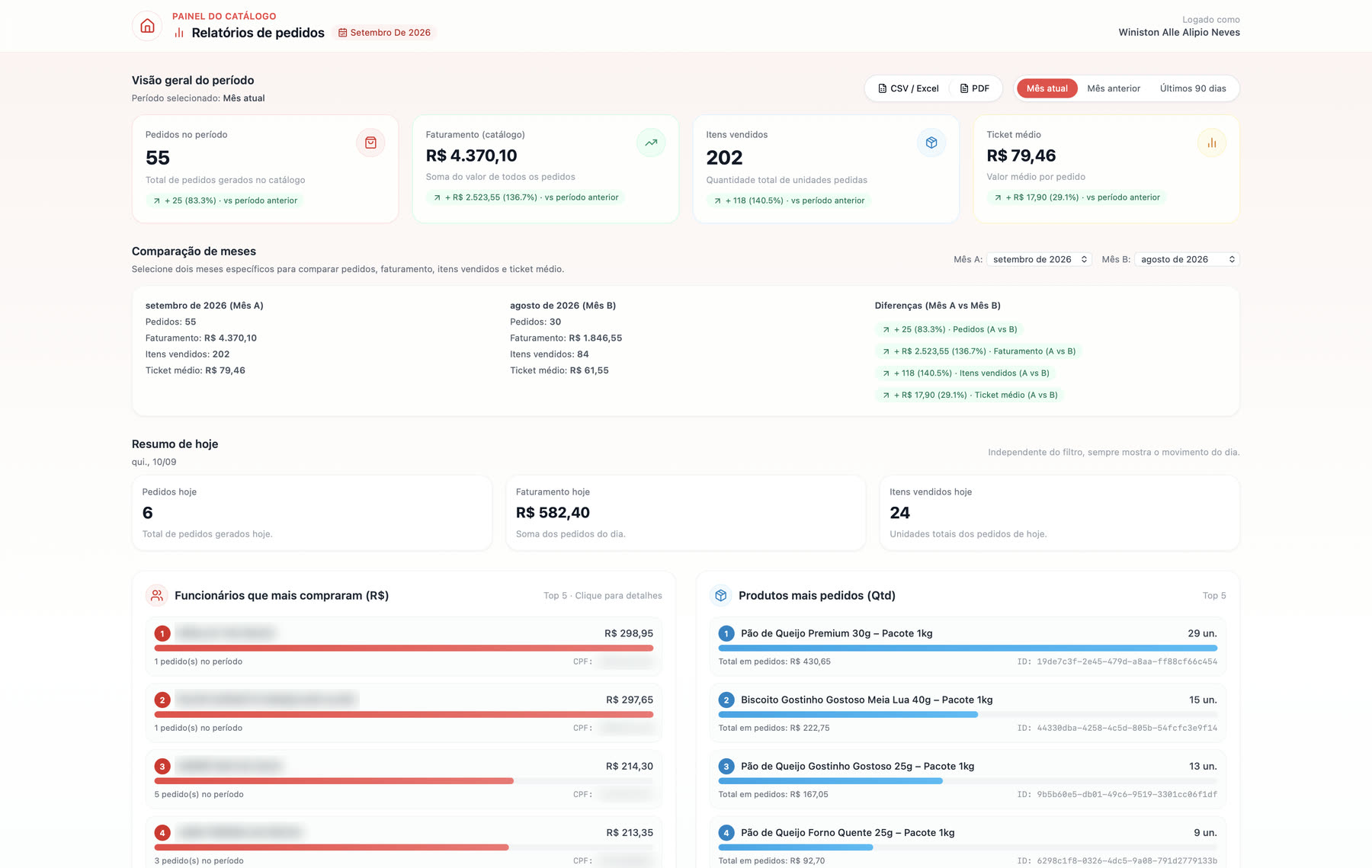
The report HR uses to close the month. It compares cycle against cycle, not calendar month against calendar month, because the real cycle runs from the 27th to the 26th, and that gap is what kept the total from matching payroll. 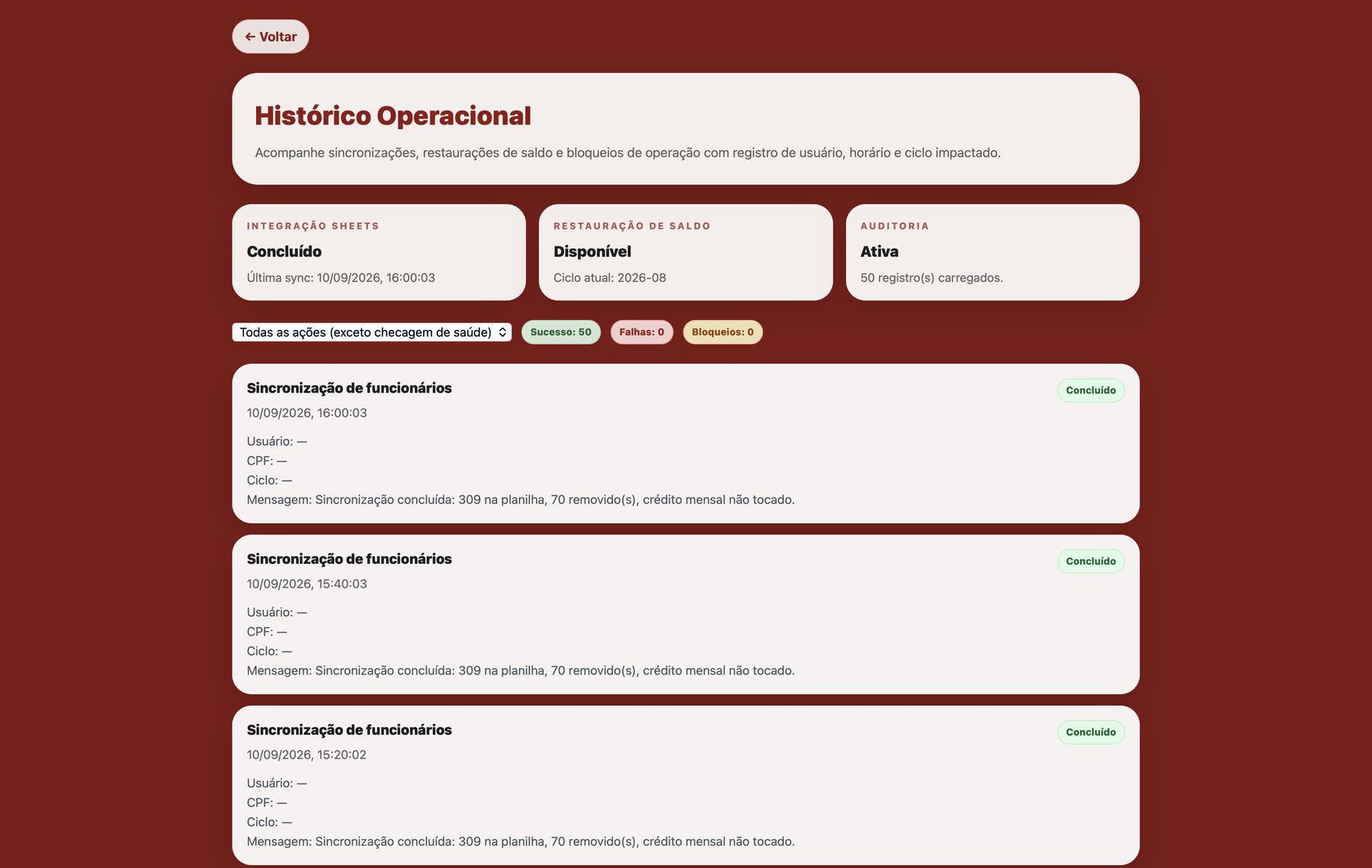
Every sync leaves a trace, including the ones that run themselves every twenty minutes. The monthly credit top-up once sat dead for four months without anyone noticing, and this screen became the place where that would show. 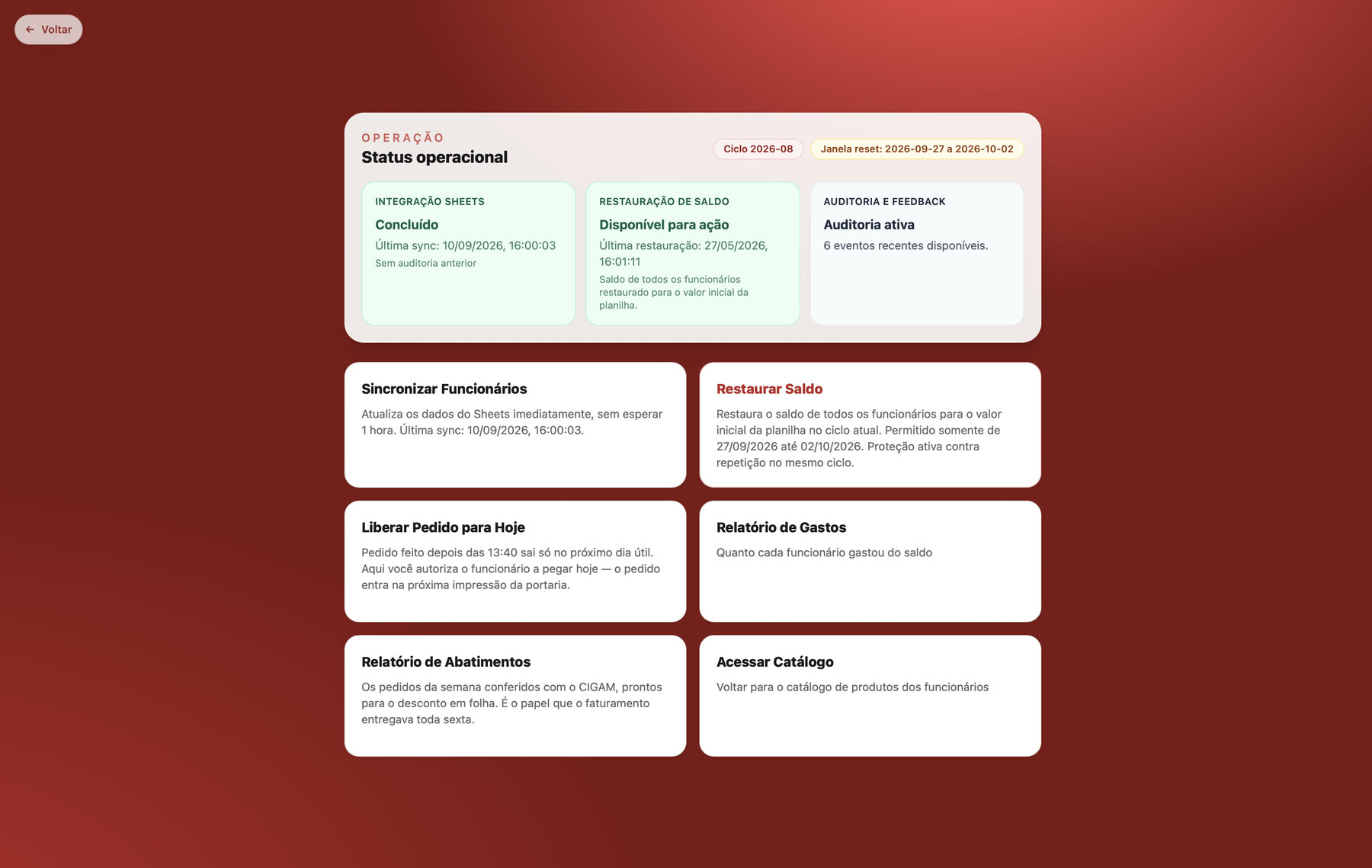
The engine room. Every button here used to be a message to me: sync the spreadsheet, restore the cycle balance, release an order past the cut-off. The top shows the state of each moving part, so answering "is it running?" no longer means asking someone.