AgentFlow
A local dashboard that shows how much quota is left on each AI coding agent, recommends which one to use for a task and only runs the task after I confirm.
In the executions in the video and screens the agents are simulated, in a disposable repository: no real model was called. The quota and version readings come from my own machine at the time of recording.
- Reads the quotas of Claude Code, Codex and Antigravity from the local cache, without asking for a password or token
- Each quota window is shown separately: it never adds different periods together or invents a history
- Supervised execution: a project registered by hand, two acknowledgements and read-only permissions by default
- Plain Python, no runtime dependency, 44 automated tests and it only listens on the local address
How it worked before.
I work with three AI coding agents, each with its own usage quota per five-hour window and per week. Knowing which one still had room meant opening three different places, and I chose out of habit, not by what was left.
When the quota ran out in the middle of a task, I only found out then. And letting an agent touch a project meant trusting it would ask for permission at the right moment.
What changed.
AgentFlow puts everything on one screen. It finds which agents are installed, reads the model catalogue each one stored on the machine and the quotas from the cache of Codenotch, an app that already tracked them. Every reading carries its age: recent, old or unknown. Unknown never becomes zero, because missing information is not an exhausted quota, and windows from different scopes are never added together.
The Smart Router takes the task description and answers with an explained recommendation: the category it understood, the agent’s affinity, the quota state and what stayed uncertain. There are three modes, quality, balanced and economy, and the analysis runs only on the local server and triggers no agent.
Version 0.2 added execution, kept separate from the recommendation on purpose. Each project has to be registered through the terminal, must be a Git repository and is refused if it is a broad directory or a shortcut. To run, the task is prepared, I review directory, branch, agent and objective, tick two confirmations and only then does it start. Agents get restricted profiles, and if the task needs writing or a permission that does not exist, it ends as Needs attention instead of getting access on its own.
Security was treated as a requirement, not a detail. The server only listens on the local address, the execution area requires a random key that lives in the tab session and is removed from the address after being read, and every request checks origin and format. History sits in a private database and outputs go through a cleaning step so secrets are not stored. The look was redone in dark mode with a mint accent, with no icon or chart library, and respects the reduced motion preference.
A look inside.
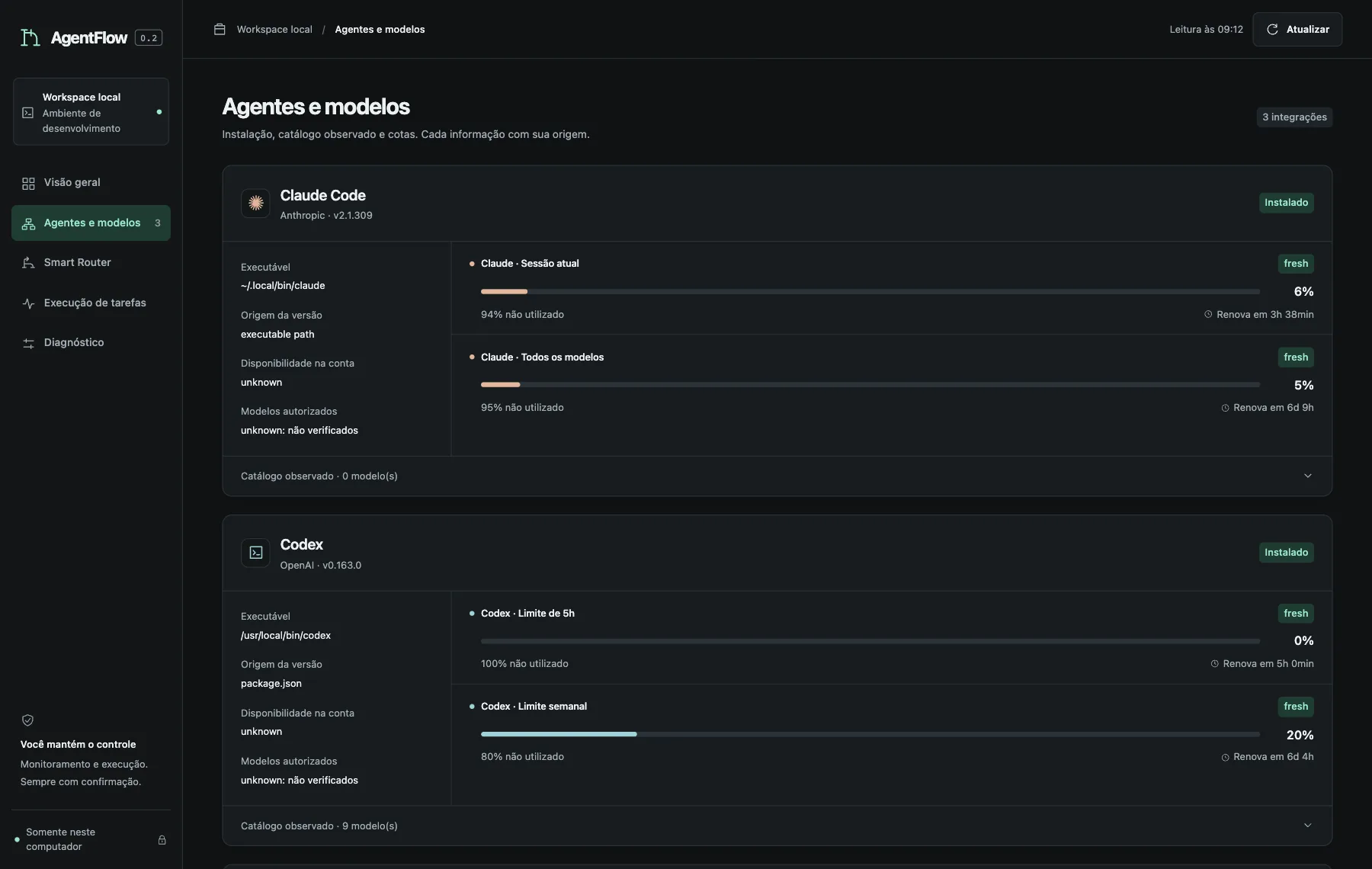
Each agent shows where each piece of data comes from: the executable, the version source and the age of each reading. Bars have a text equivalent, so they do not rely on colour alone. 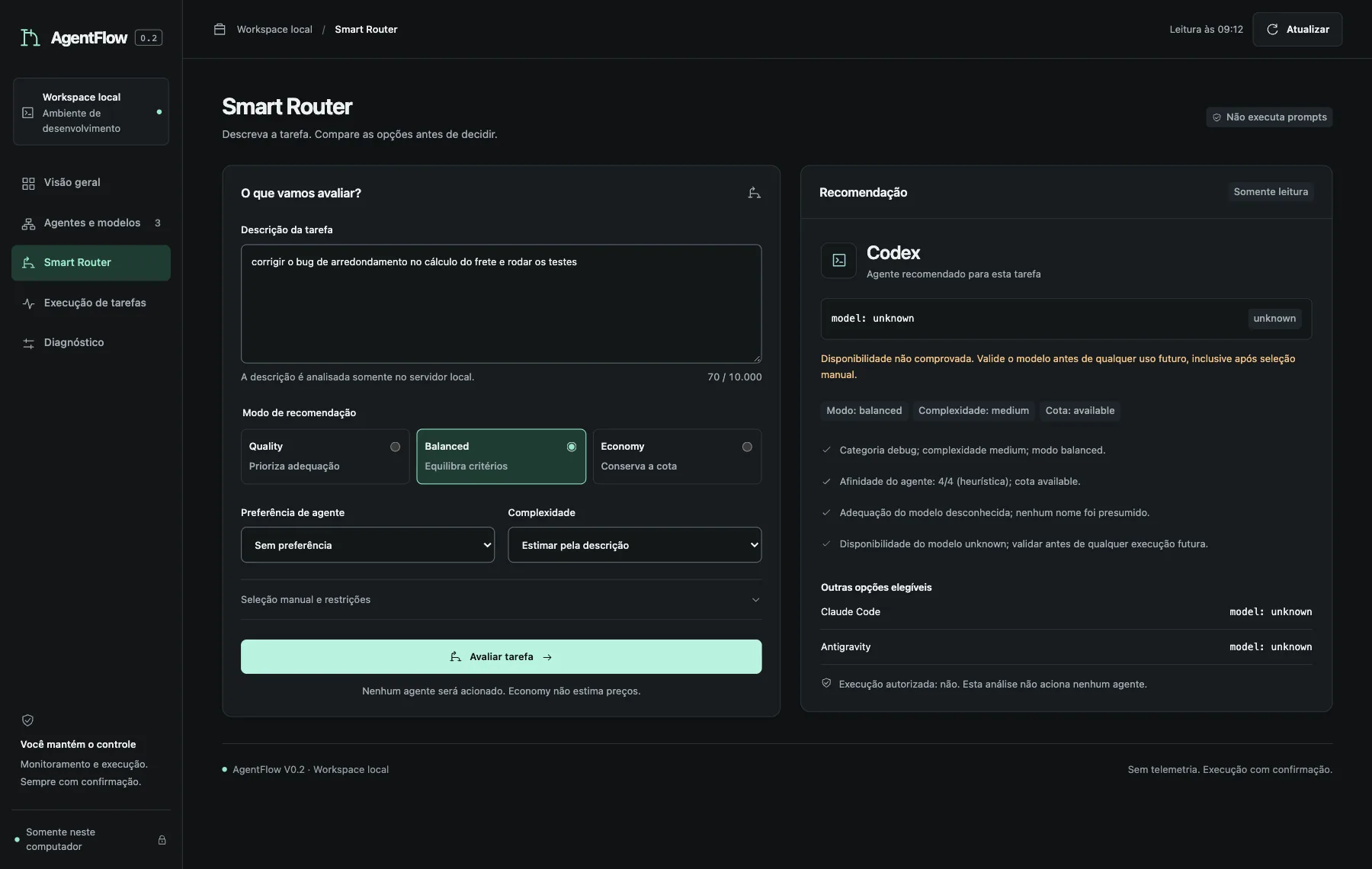
The Router explains the choice and says what it does not know: here the model is unknown, and the warning that availability was not verified appears with the recommendation. 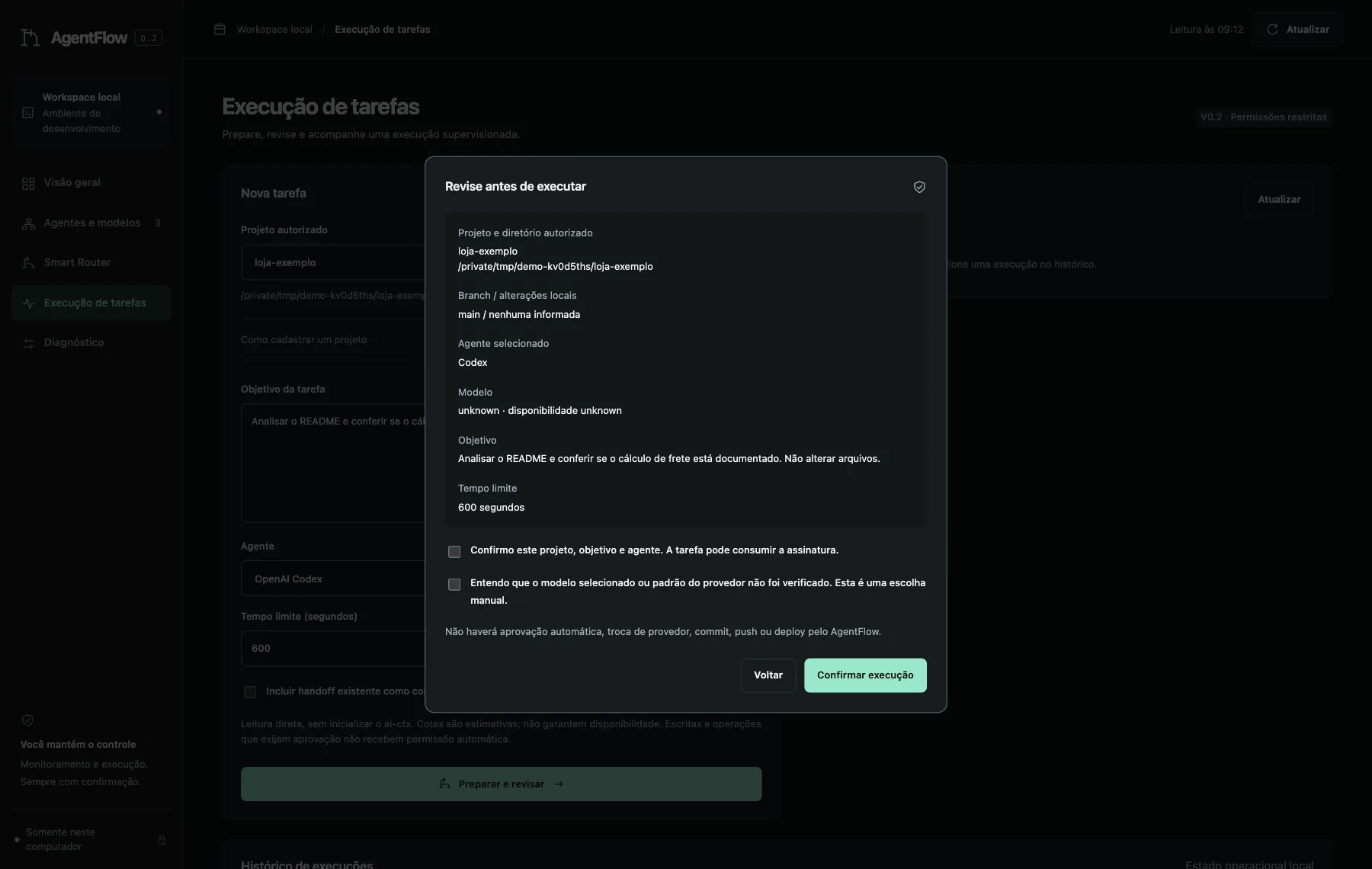
Nothing runs without this dialog. It repeats what is about to happen, asks for two acknowledgements and warns there will be no automatic approval, provider switch, commit, push or deploy. 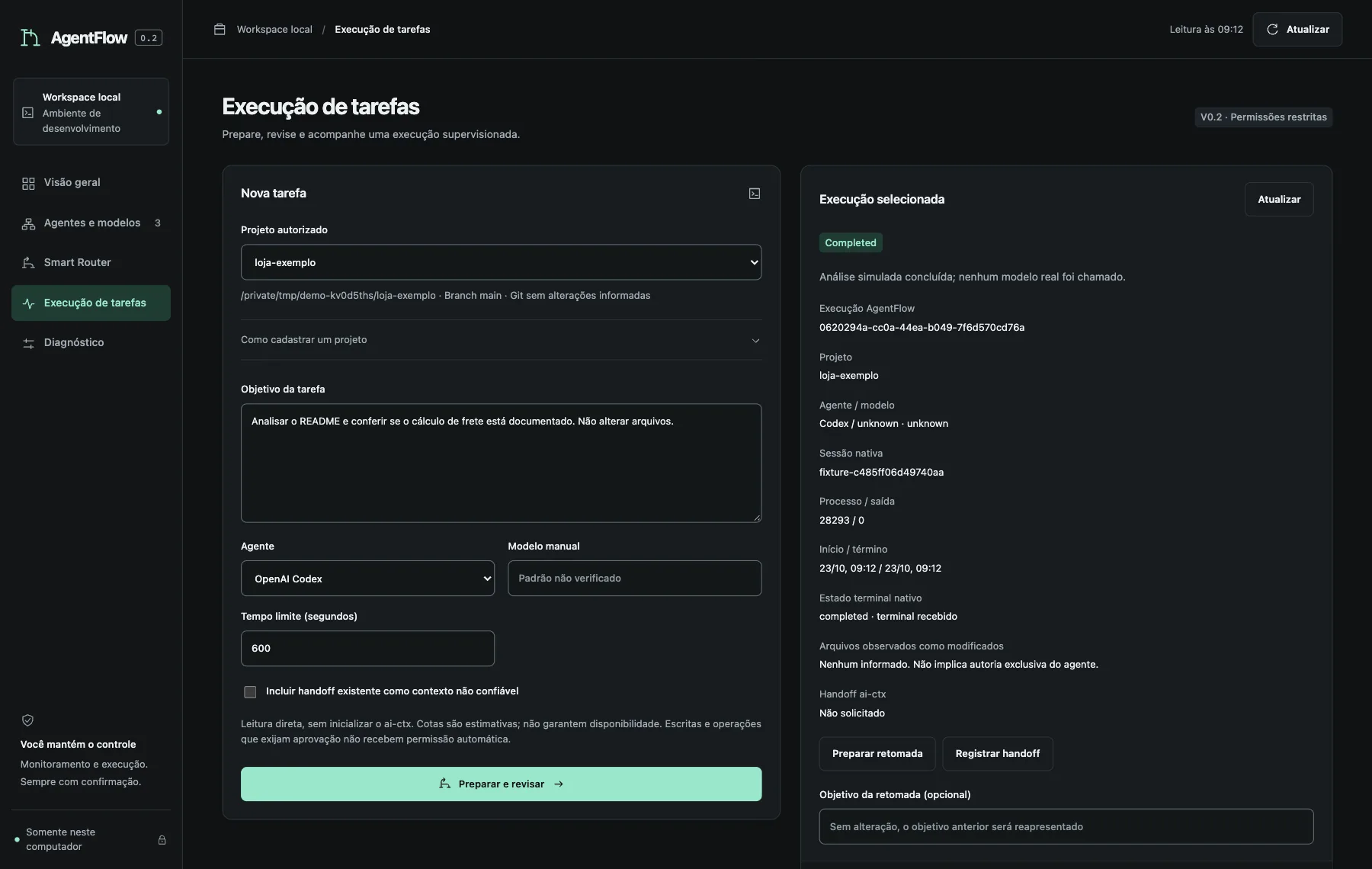
The state comes from the process and the events, never from an invented progress bar. Resuming requires preparing and confirming another plan. 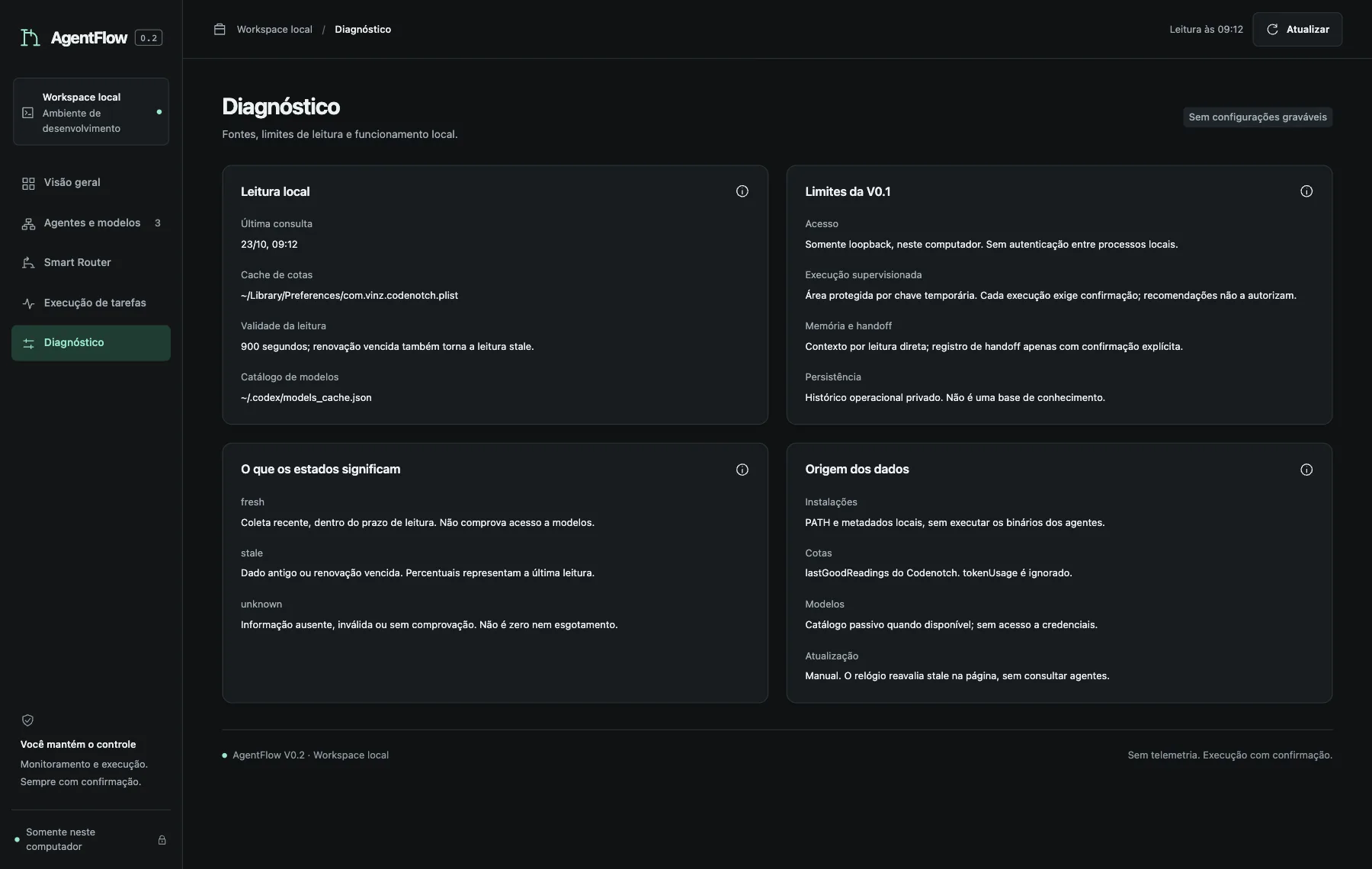
Diagnostics explains the sources and limits. Fresh, stale and unknown have a written definition, and the screen says the clock re-evaluates validity without fetching any data.